<?xml version="1.0" encoding="utf-8"?><feed xmlns="http://www.w3.org/2005/Atom" ><generator uri="https://jekyllrb.com/" version="3.10.0">Jekyll</generator><link href="https://starmaid.github.io/feed" rel="self" type="application/atom+xml" /><link href="https://starmaid.github.io/" rel="alternate" type="text/html" /><updated>2026-07-29T05:55:22+00:00</updated><id>https://starmaid.github.io/feed</id><title type="html">Nicky Masso</title><subtitle>My cool internet site :)
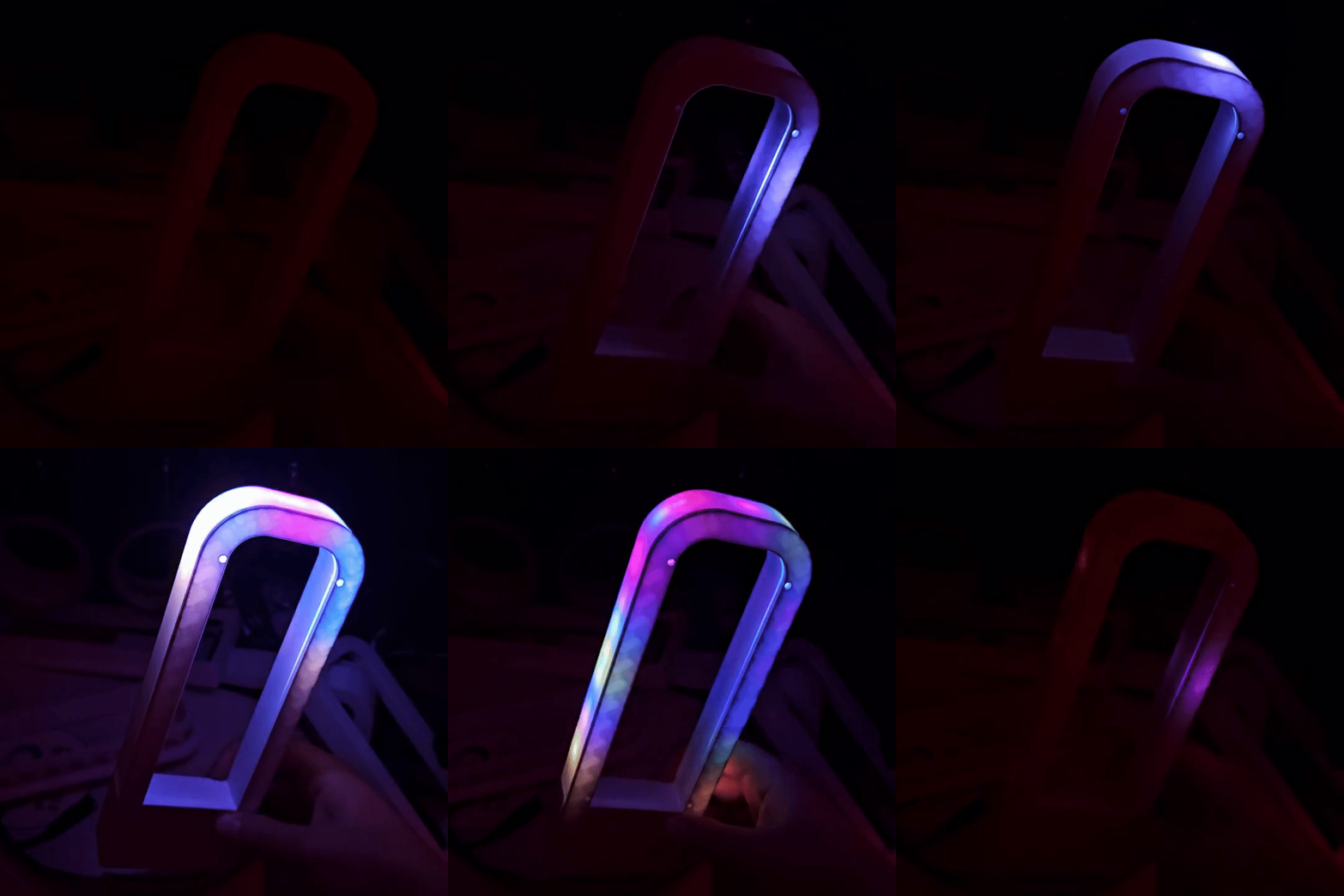
</subtitle><author><name>Nicky Masso</name></author><entry><title type="html">Lights Rectangle</title><link href="https://starmaid.github.io/blog/lights-rectangle/" rel="alternate" type="text/html" title="Lights Rectangle" /><published>2026-06-02T00:00:00+00:00</published><updated>2026-06-02T00:00:00+00:00</updated><id>https://starmaid.github.io/blog/lights-rectangle</id><content type="html" xml:base="https://starmaid.github.io/blog/lights-rectangle/"><![CDATA[<p><img src="/blog/img/2026-06-02-lights-rectangle/thumb.gif" alt="Gif of it working" /></p>

<p>A small ESP32-based light.</p>

<h2 id="why-build-this">Why build this?</h2>

<p>This project was a small gift for two of my friends, Eris and Mimi. Each of them are programmers, and I thought they would enjoy a device to run light control code on without having to care about the hardware. I also make software to run on devices similar to this (<a href="/blog/pulseofexploration">pulse</a>, <a href="/blog/randbeacon">randbeacon</a>) and both of them expressed interest in running those programs themselves, but didn’t have a light to use.</p>

<p>The design needed to be something small that would both not be crazy to bring in my luggage, and also not take up too much space in a shared apartment. I also needed it to be fully enclosed and not have any crazy dances you have to do to use it, and ideally no exposed wires or other ways to fuck up. This is critical when giving projects as presents.</p>

<h2 id="design">Design</h2>

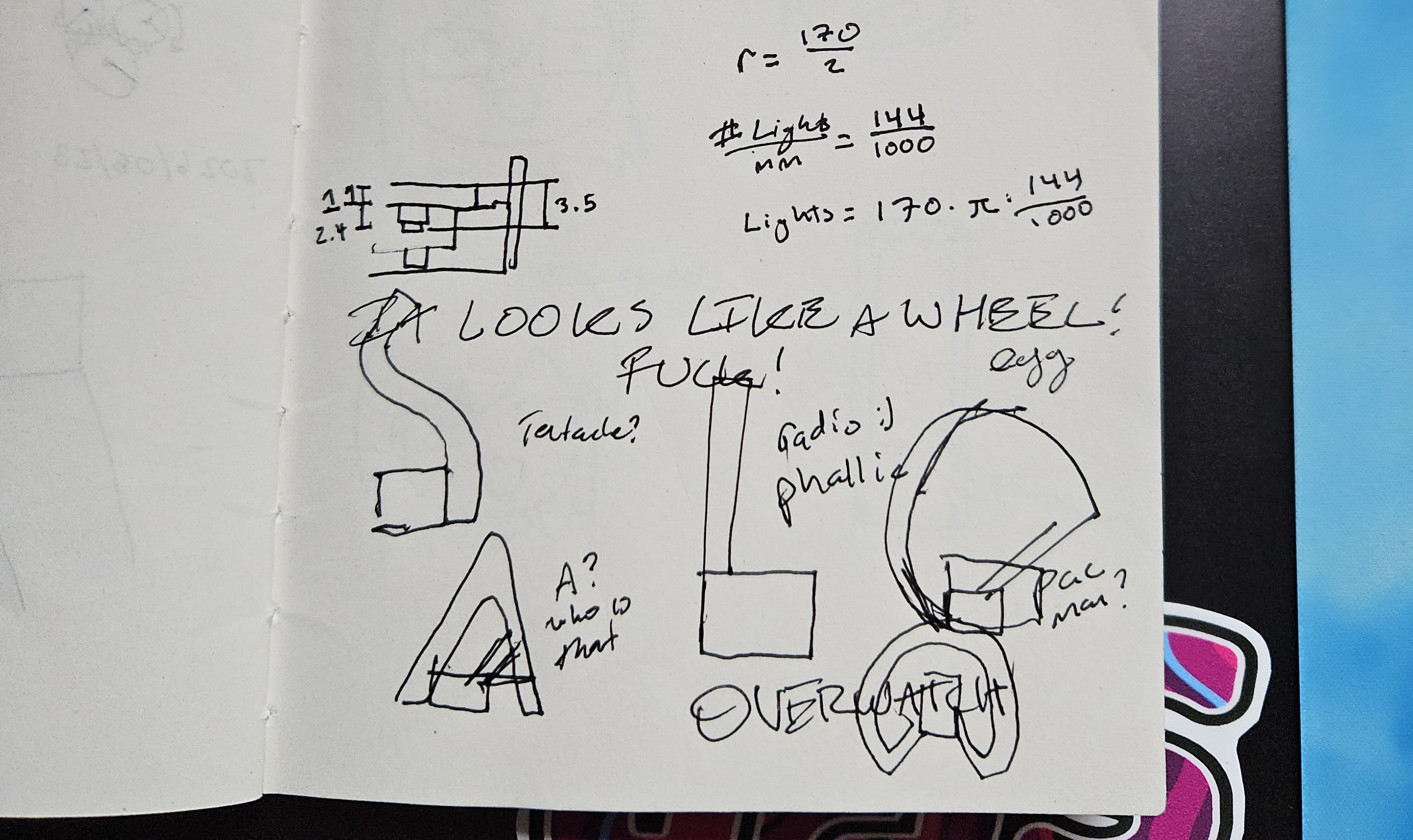
<p>My initial design revolved around a kind of circular shape that had some supports with the ESP32 in the center. However after a few hours of 3D modeling, I had the sudden and terrible realization that it looked like some kind of <a href="https://duckduckgo.com/?q=awesome+hot+wheels+lamp+wheel&amp;iar=images&amp;t=ffab">man-cave truck guy wheel wall art</a>. Which was untenable for obvious reasons.</p>

<p><img src="/blog/img/2026-06-02-lights-rectangle/notebook_1.jpg" alt="notebook page of bad pages" /></p>

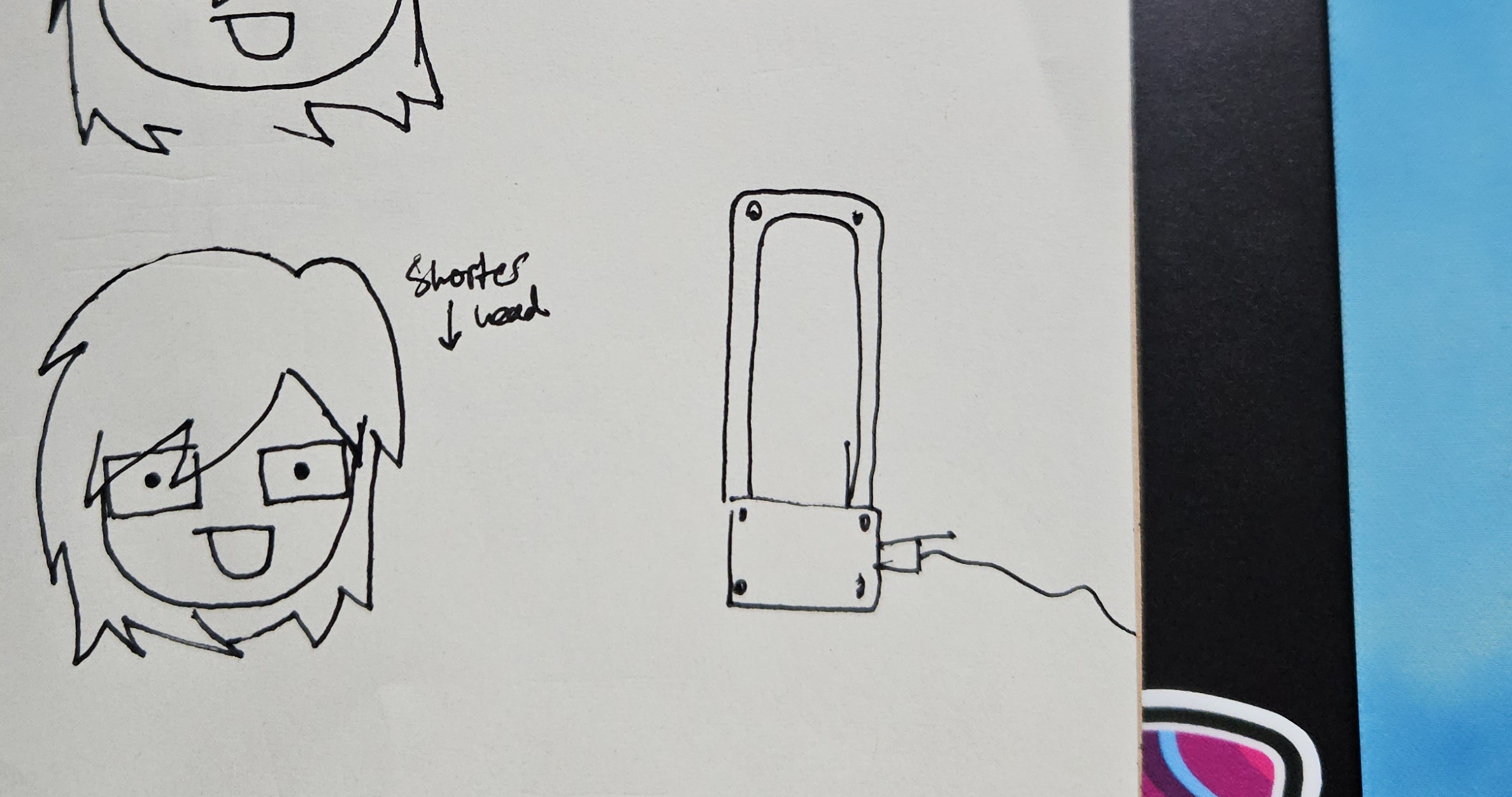
<p>I then went on a feverish redesign. Everything I could think of was either <a href="https://en.wikipedia.org/wiki/World_Trade_Center_(1973%E2%80%932001)">phallic</a>, <a href="https://en.wikipedia.org/wiki/The_Incredulity_of_Saint_Thomas_(Caravaggio)">yonic</a>, or evocative of something I didn’t want (like the wheel)</p>

<p><img src="/blog/img/2026-06-02-lights-rectangle/notebook_2.jpg" alt="notebook page of redesign" /></p>

<p>I settled on the “dyson airblade” look, because it was the perfect ratio of phallic to yonic, and would also be pretty easy to make. I also played with the angles to make it less similar to the bladeless fans, so there was some uniqueness.</p>

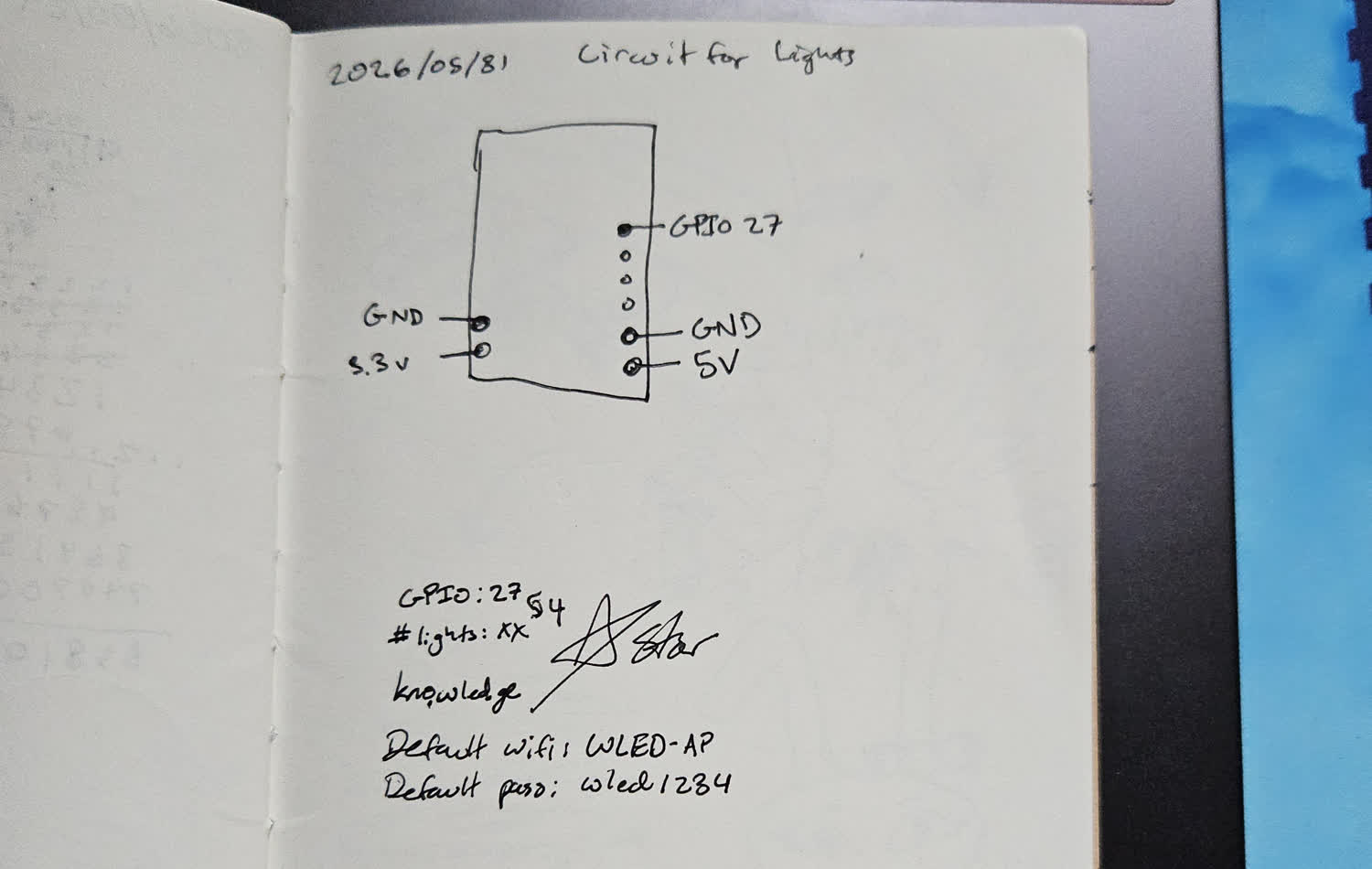
<p><img src="/blog/img/2026-06-02-lights-rectangle/notebook_3.jpg" alt="notebook page of circuit" /></p>

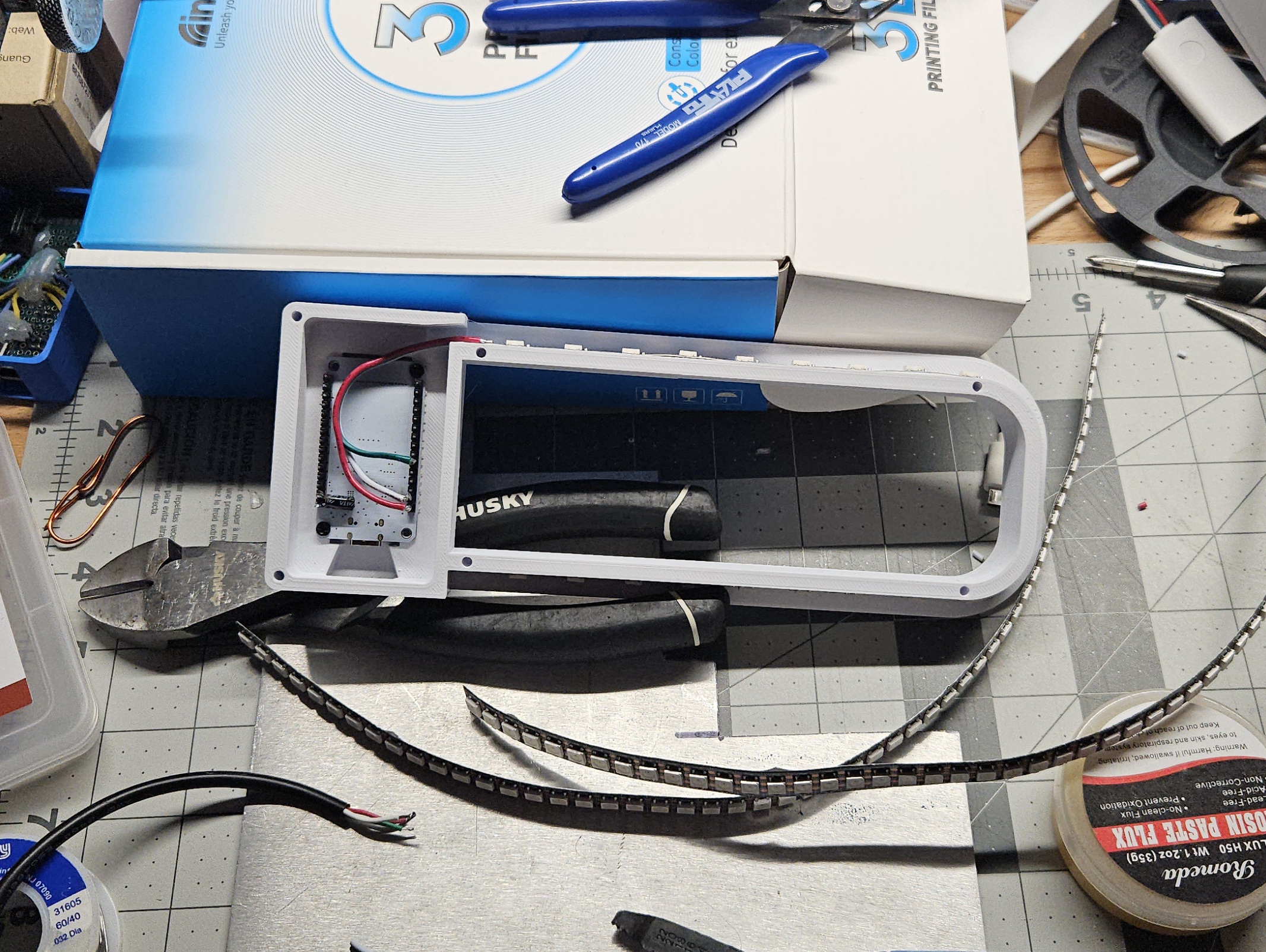
<p>The circuit itself would be very simple - I don’t believe in level shifters, but I do believe in filtering capacitors. I wanted to do without another board, so all joints would be directly on the ESP.</p>

<p><img src="/blog/img/2026-06-02-lights-rectangle/construction.jpg" alt="picture of it in parts" /></p>

<h2 id="build">Build</h2>

<p>Access to one of the buttons on the ESP32. This button by default toggles the light on/off, which is very handy when you are right there on the light and don’t want to open up an app to control it. I am familiar with making trapped buttons, so a few careful measurements and test prints later I had something that worked perfectly.</p>

<p><img src="/blog/img/2026-06-02-lights-rectangle/vents_and_button.jpg" alt="vents and button" /></p>

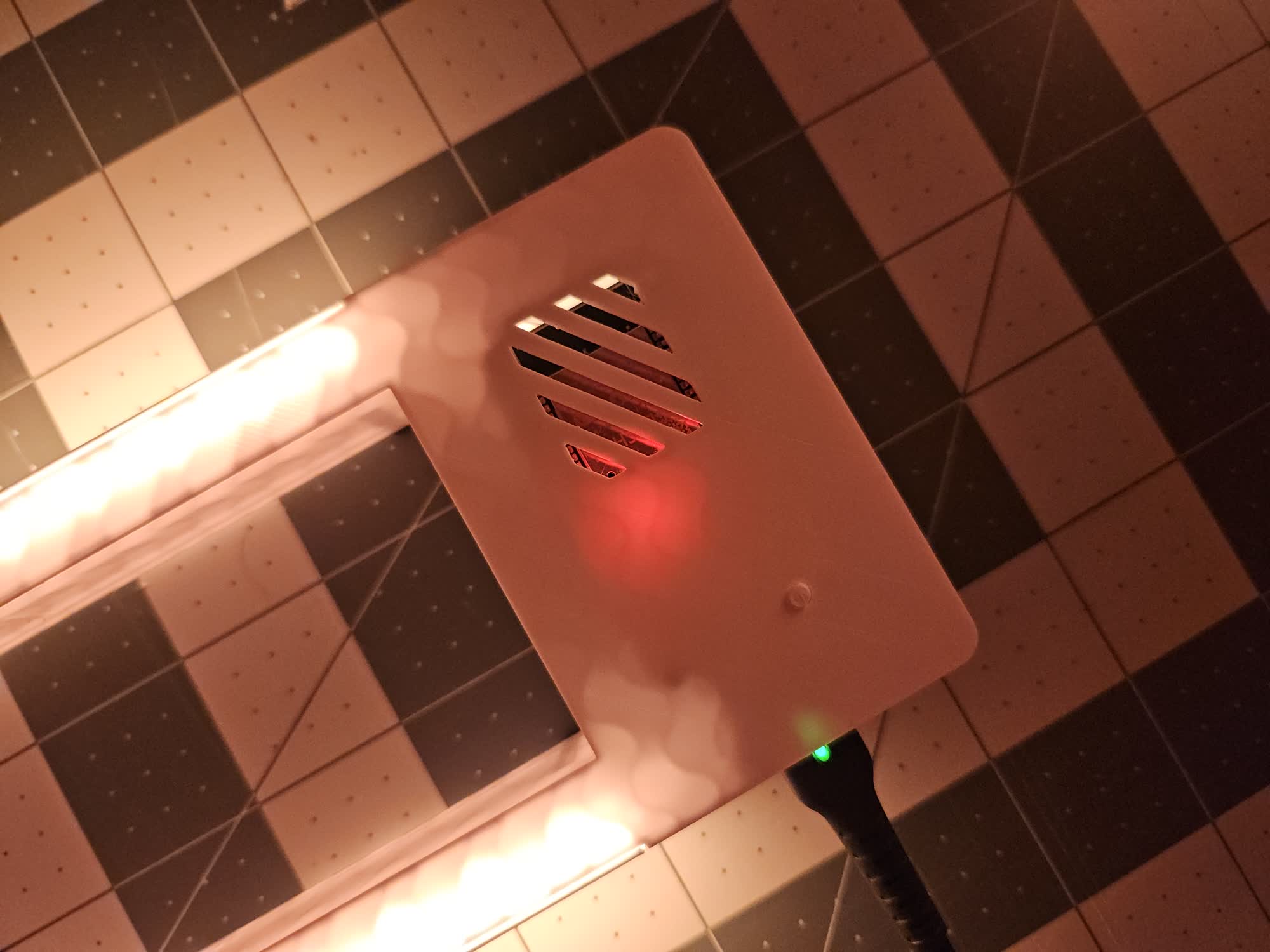
<p>I added some vents for some small amount of airflow. I know these devices generate a bit of heat, and fully trapping that would not be ideal. As always, this took way longer than it should because 3D modeling applications hate resizing stuff like this. I ended up using a boolean object so at least I could resize the vents in a different object and the dimensions weren’t linked. This was so effective, even if it was hard to make in the first place. It felt hacky though.</p>

<p>The radius that the lights can wrap around was also a consideration, as the 144 LED/meter strip actually had a wider radius than the normal like 60 LED/meter strips I buy. This ended up being like 18 mm.</p>

<p><img src="/blog/img/2026-06-02-lights-rectangle/curve_closeup.jpg" alt="something that shows the curve of the light" /></p>

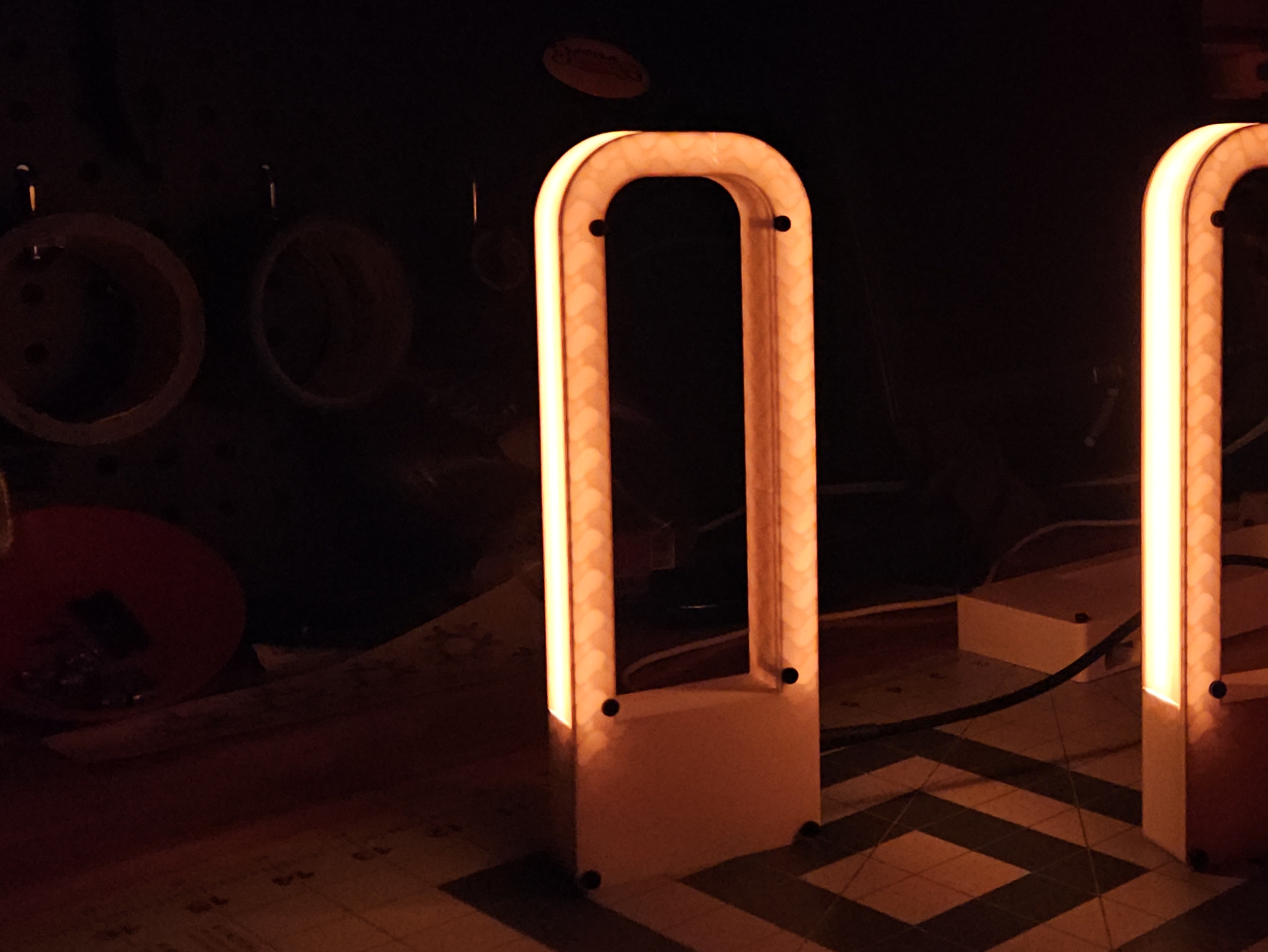
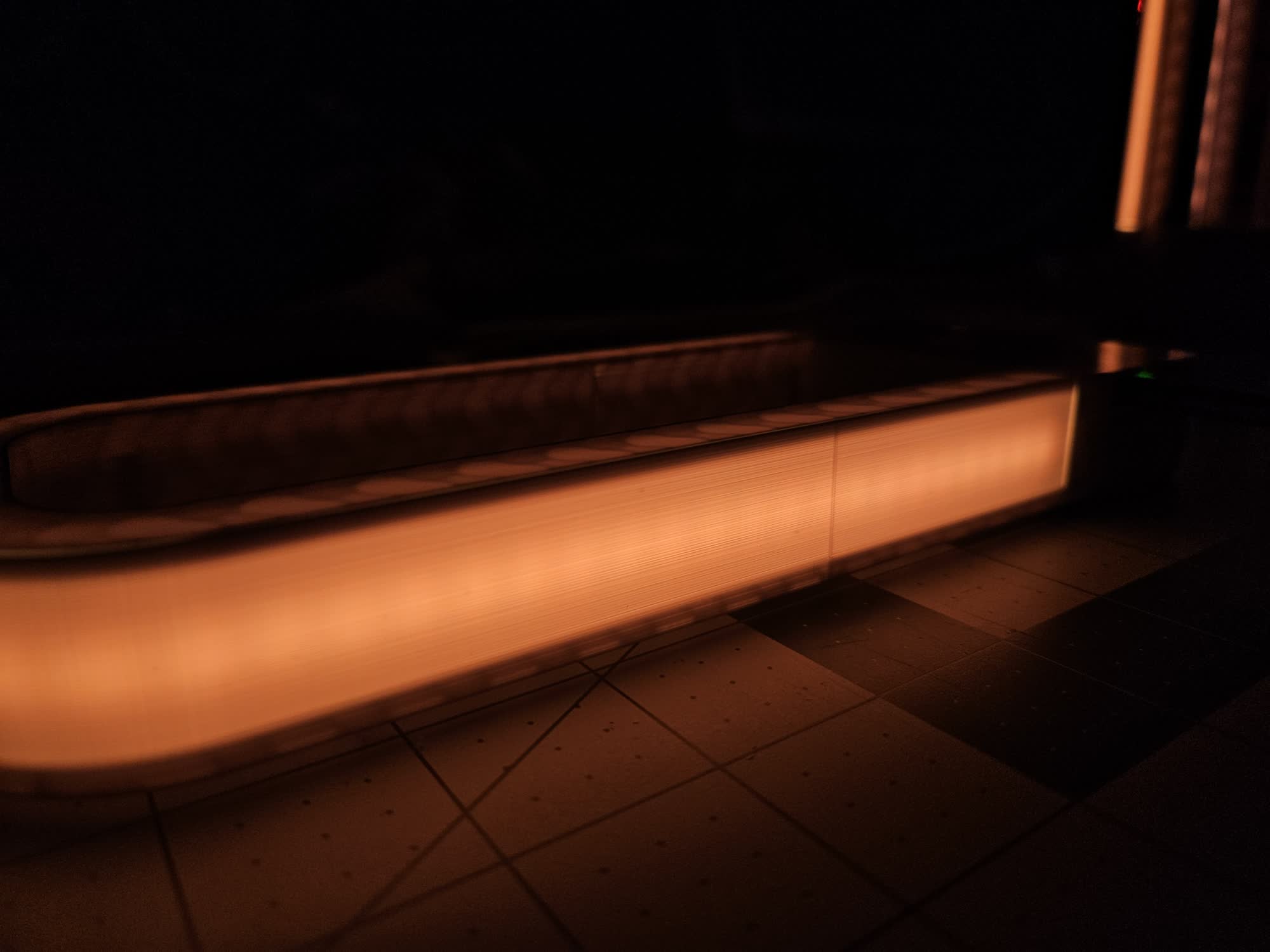
<p>For the print, I went back and forth on infill type. Obviously the main light diffuser would just be two perimeters (one would be too fragile for shipping, and two was still translucent enough). But the sides would also leak light - and I had to decide what to do. One option was to put some kind of opaque coating or tape like my <a href="/blog/_posts/2026-04-19-plants-light-shelf.md">plant light shelf</a>, but I think that would make it less interesting. I the light transmission through the print looked cool, so I tried out gyroid infill. This gave really cool results, and I decided to keep it.</p>

<p><img src="/blog/img/2026-06-02-lights-rectangle/translucency.jpg" alt="what the translucency looks like" /></p>

<p>For assembly, I didn’t feel like using heat-set inserts, because the loads would be minimal. But I didn’t want to glue anything in case repairs were needed. I used some trusty M3 hex screws for the case, and then some M2 screws for holding the MCU in place.</p>

<p><img src="/blog/img/2026-06-02-lights-rectangle/sticker.jpg" alt="closeup of the sticker" /></p>

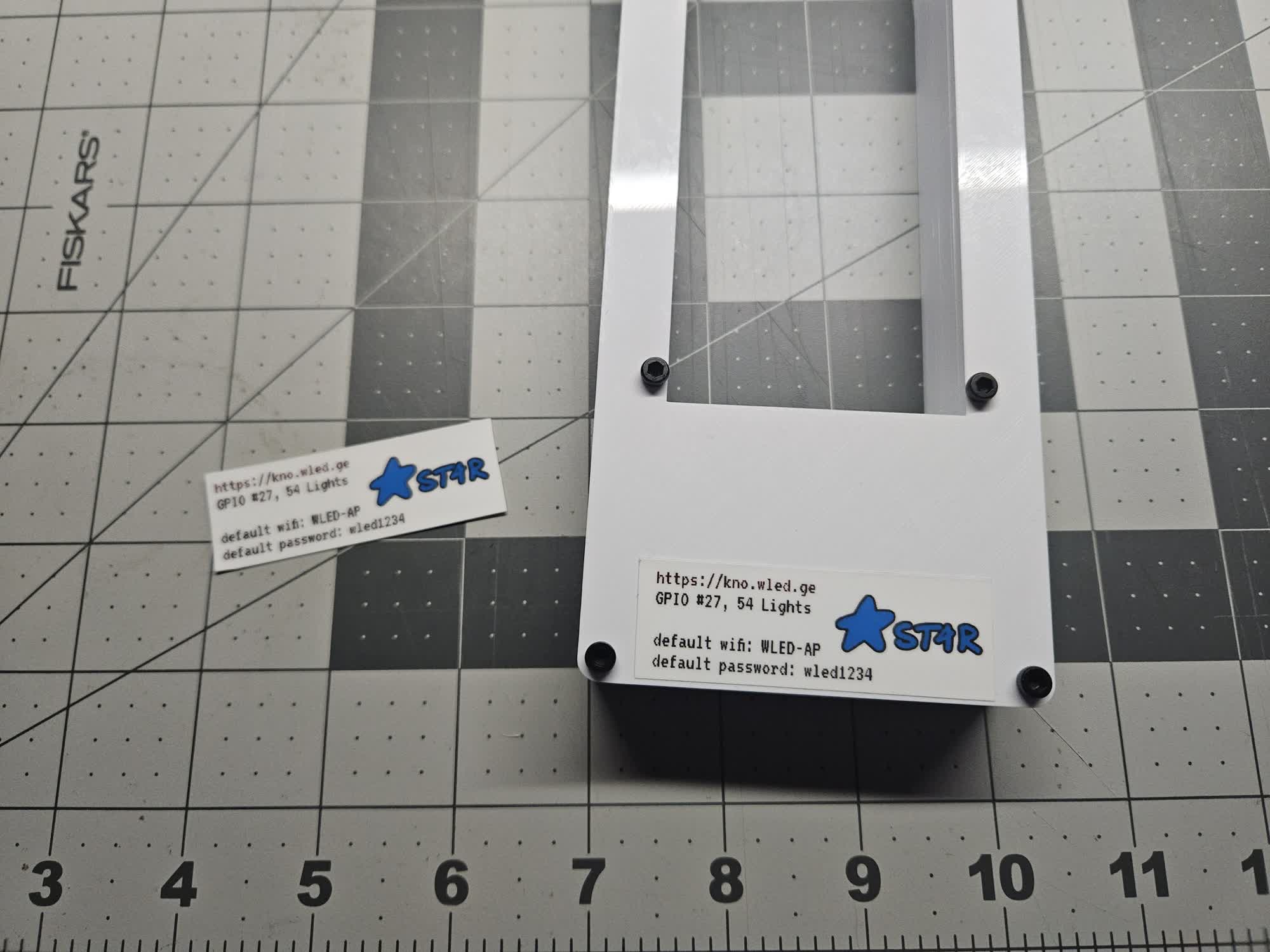
<p>The final touch was a sticker - something that describes what it is, how to use it, and some basic info in case everything gets messed up. I used the recognizable ST4R logo, even as I’m playing with the brand now.</p>

<h2 id="product">Product</h2>

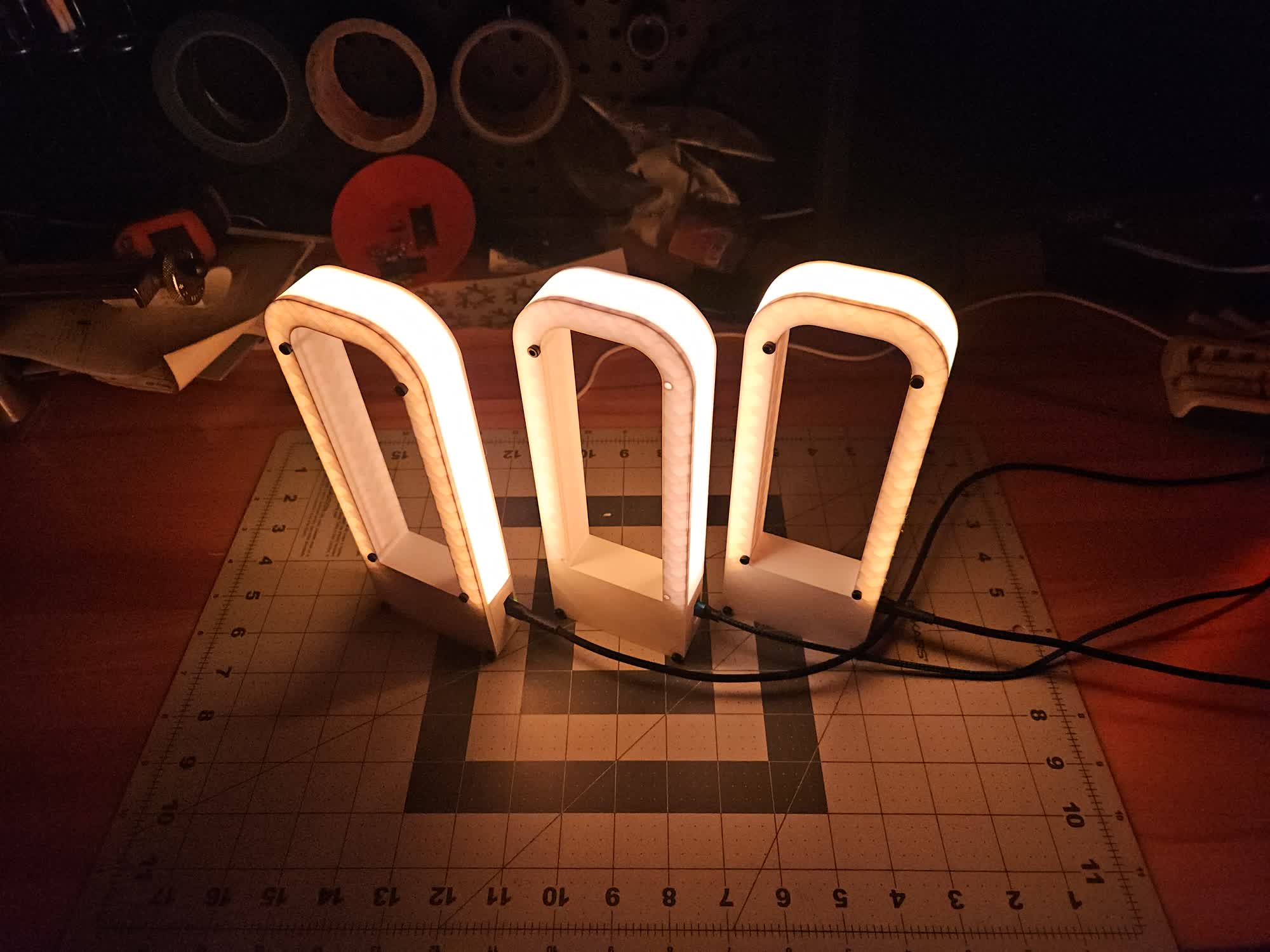
<p>I ended up making one myself as a prototype, where I used cheaper lights. After testing, I made the two for gifts, and they worked great! <a href="https://www.thingiverse.com/thing:7389145">Link to files on thingiverse</a>. Let me know if you make one! The software is WLED which can be flashed from a chromium-based browser <a href="https://install.wled.me/">here</a>.</p>

<p><img src="/blog/img/2026-06-02-lights-rectangle/three_of_them.jpg" alt="three of them" /></p>]]></content><author><name>Nicky Masso</name></author><category term="blog" /><category term="wled," /><category term="light," /><category term="esp32" /><summary type="html"><![CDATA[]]></summary><media:thumbnail xmlns:media="http://search.yahoo.com/mrss/" url="https://starmaid.github.io/blog/img/2026-06-02-lights-rectangle/thumb_sm.gif" /><media:content medium="image" url="https://starmaid.github.io/blog/img/2026-06-02-lights-rectangle/thumb_sm.gif" xmlns:media="http://search.yahoo.com/mrss/" /></entry><entry><title type="html">Robots On Ice</title><link href="https://starmaid.github.io/blog/robots-on-ice/" rel="alternate" type="text/html" title="Robots On Ice" /><published>2026-04-25T00:00:00+00:00</published><updated>2026-04-25T00:00:00+00:00</updated><id>https://starmaid.github.io/blog/robots-on-ice</id><content type="html" xml:base="https://starmaid.github.io/blog/robots-on-ice/"><![CDATA[<iframe width="100%" height="315" src="https://www.youtube.com/embed/lbAELyJupGA" frameborder="0" allowfullscreen=""></iframe>

<p><em><a href="https://www.mercurynews.com/2026/04/25/robots-take-up-ice-skating-saturday-at-san-jose-robotics-event/">Theres actually an article about this in the Mercury news?</a></em></p>

<p><a href="https://www.robotsonice.org/">Robots on Ice!</a> is an event hosted by <a href="https://siliconvalleyskates.org/2026/05/26/robots-on-ice-2026-racing-robotics-and-innovation-in-san-jose/">The Silicon Valley Ice Skating Association</a> usually in the spring at Sharks Ice, San Jose. I think the primary focus is to do a fun outreach event and let the community see some fun robots built by local people.</p>

<p>I noticed a lot of AI and hype language used in the promotion and execution of the event. I think there was only like one or two people coordinating and running this, so I imagine they had a lot to take care of. The organizers also sent pre-formatted social media material for promotion. I don’t usually exhibit at stuff, so I was very new to this kind of material.</p>

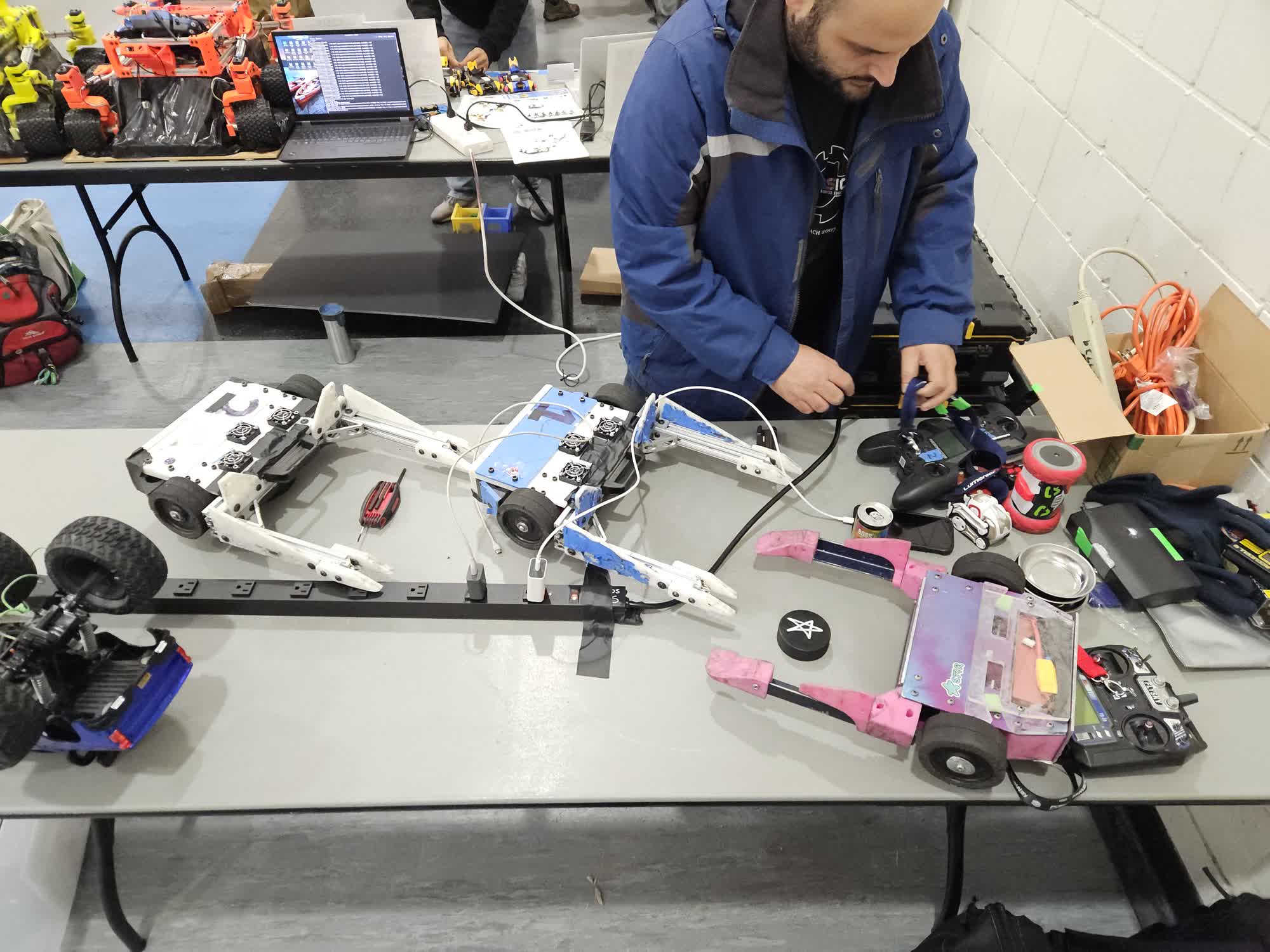
<p><img src="/blog/img/2026-04-25-robots-on-ice/1_table.jpg" alt="photo of our table" /></p>

<p>Our loadin was very uneventful. It did take Lucy and I a second to find the specific ice rink we were using, as we had never been to this complex and they had like 6 rinks. I also only brought a toolkit and the robot, so no huge bin or anything. Also while there, I went to the team store and bought hockey tape and an ice puck. Hockey tape is much like gaffer tape, but narrower and a bit thicker. I obviously bought the gay pride stuff, planning to use it for decoration. I put it on one of my forks, like it was a stick.</p>

<h3 id="who-else-was-there">Who else was there</h3>

<ul>
  <li>Two SRI Robotics people, who like hockey and curling.</li>
  <li>The skating robot guy</li>
  <li>that dalek team</li>
  <li>like three FIRST robotics teams</li>
  <li>That ROS rover startup team</li>
  <li>That moddable animal toy team</li>
  <li>That hexapod guy</li>
  <li>Random kids with toys</li>
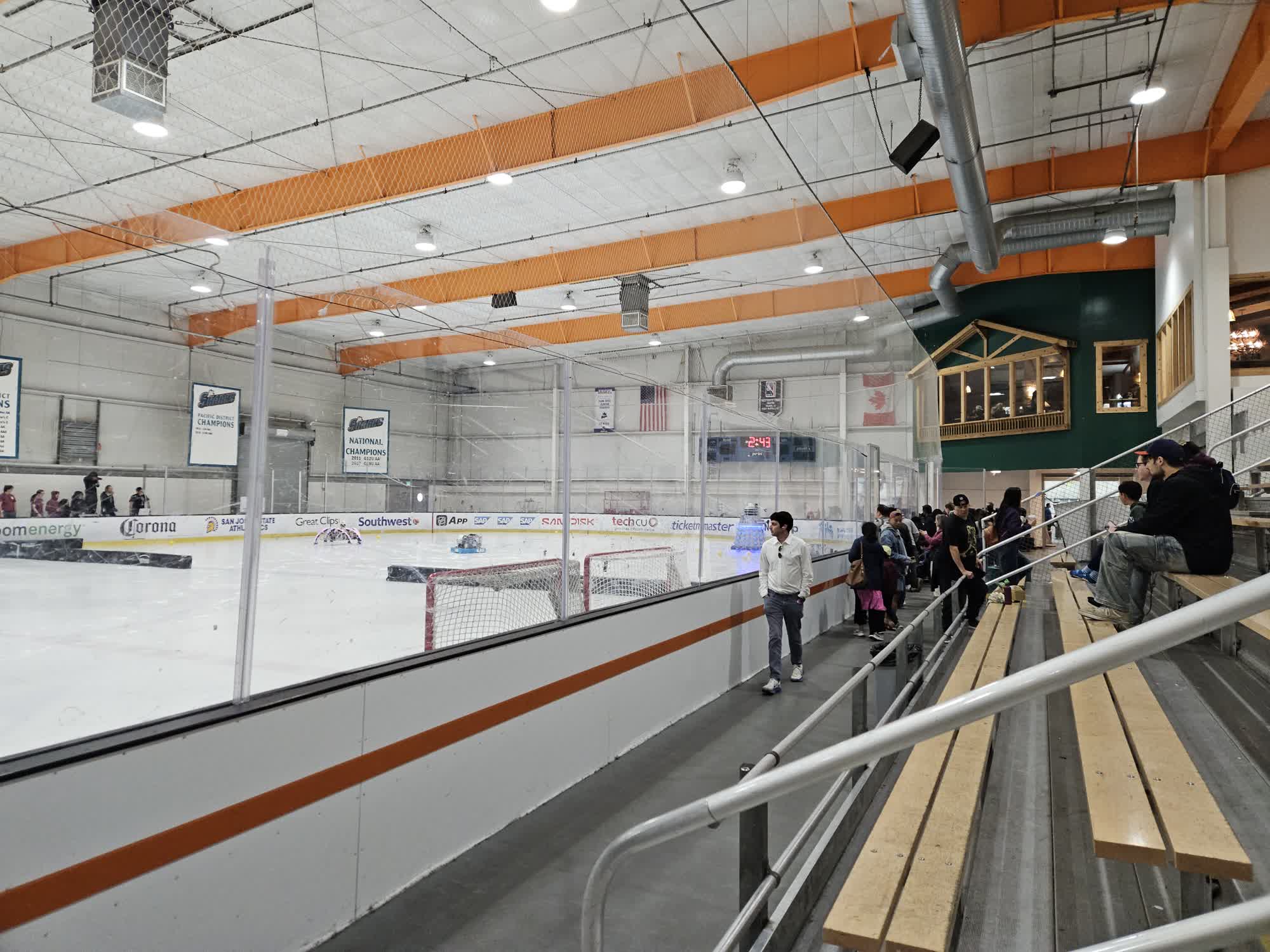
  <li>Audience of mostly kids and people who were already at the rink that day</li>
</ul>

<p><img src="/blog/img/2026-04-25-robots-on-ice/2_crowd.jpg" alt="picture of the audience" /></p>

<h3 id="people-who-i-think-would-have-fun-but-werent-there">People who I think would have fun but werent there</h3>

<ul>
  <li>more bot hockey people</li>
  <li>rc drift people</li>
  <li>humanoid robot people</li>
</ul>

<h3 id="phases-of-the-event">Phases of the event</h3>
<ul>
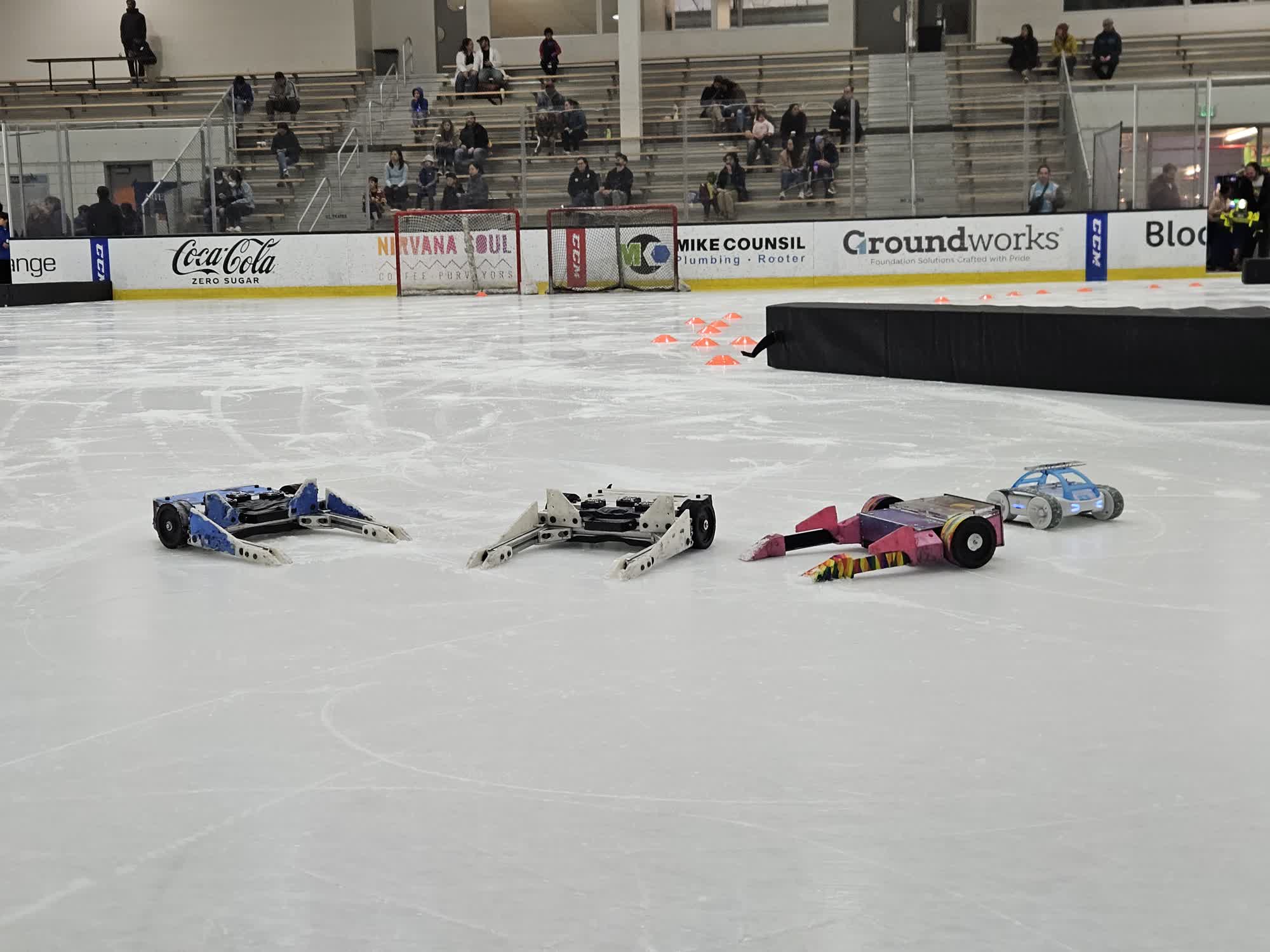
  <li>Drive around in open play area, collect the balls the first teams were releasing</li>
  <li>Race</li>
  <li>Play hockey with a kickball</li>
</ul>

<p><img src="/blog/img/2026-04-25-robots-on-ice/3_lineup.jpg" alt="picture of the audience" /></p>

<h2 id="what-was-hard">What was hard</h2>

<p>So obviously the biggest challenge was traction - our robots have 60A hard rubber wheels, which are very much optimized for coarse, hard surfaces. This speaks to our strength and dominance on parking lots. However the amount of friction was so low it was hard to manage. I attempted to keep traction and stay in the static friction regime by accelerating very slowly, but even with low braking on my ESCs it was very difficult to slow down or turn without losing traction inadvertently. I attempted to put some tape on my wheels to see if it would change anything, but i couldnt really tell. The tape just got wet.</p>

<p>The second issue was running into piles of snow on the ice. These were surprisingly sticky and would fully immobilize our robots, requiring someone to hit the robot with some object, or to just wait for someone with hockey skates to give them a nudge.</p>

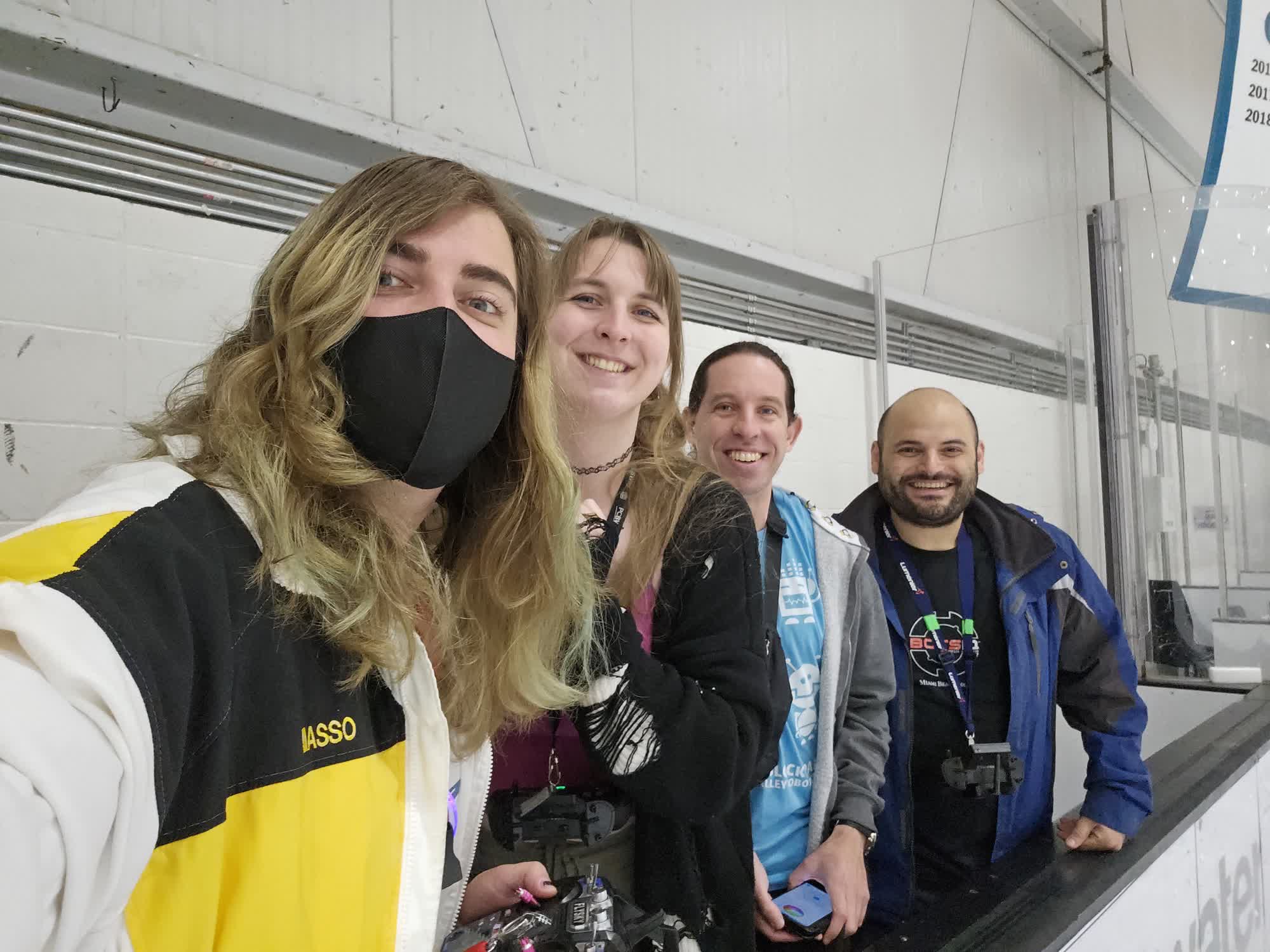
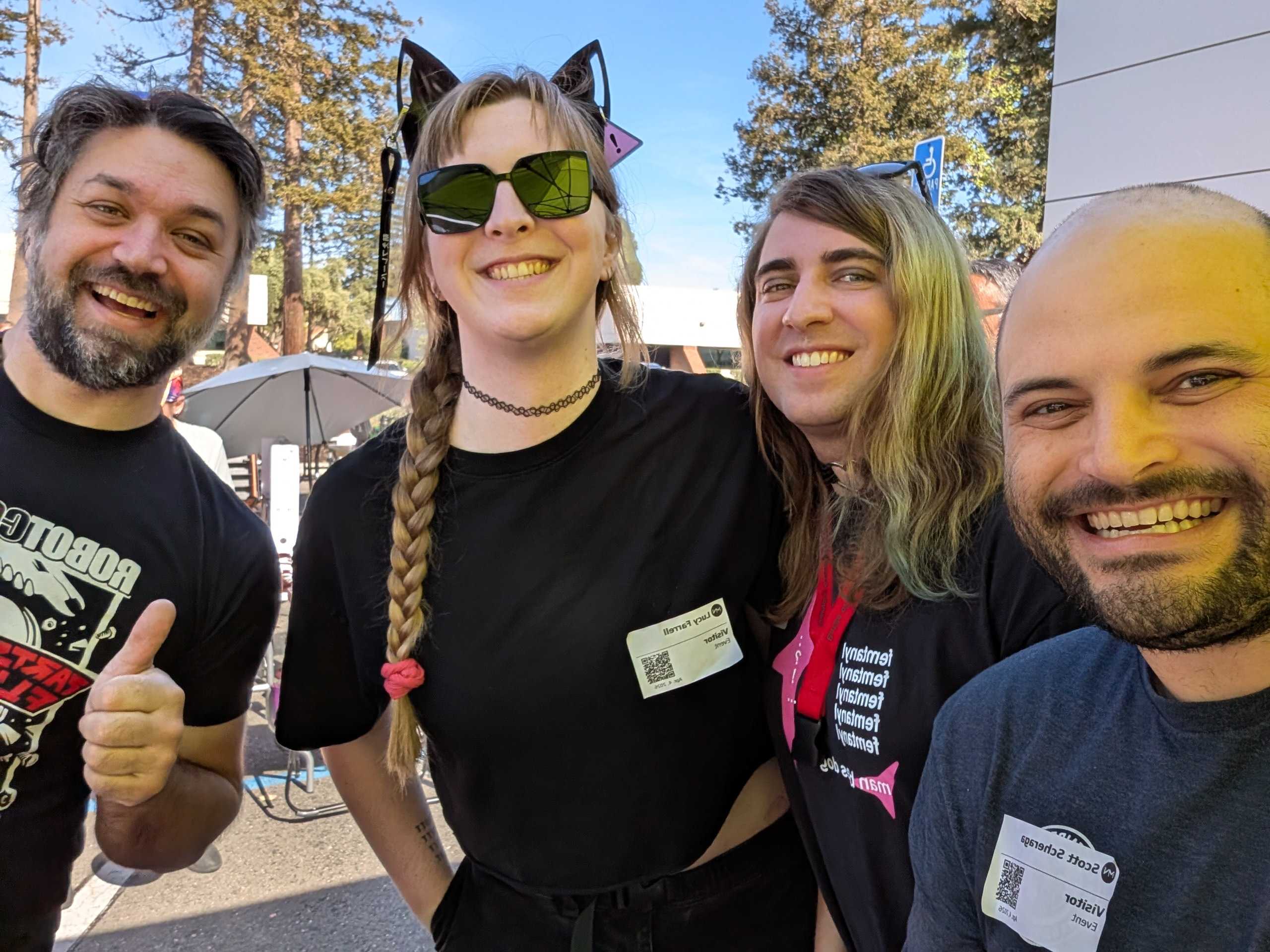
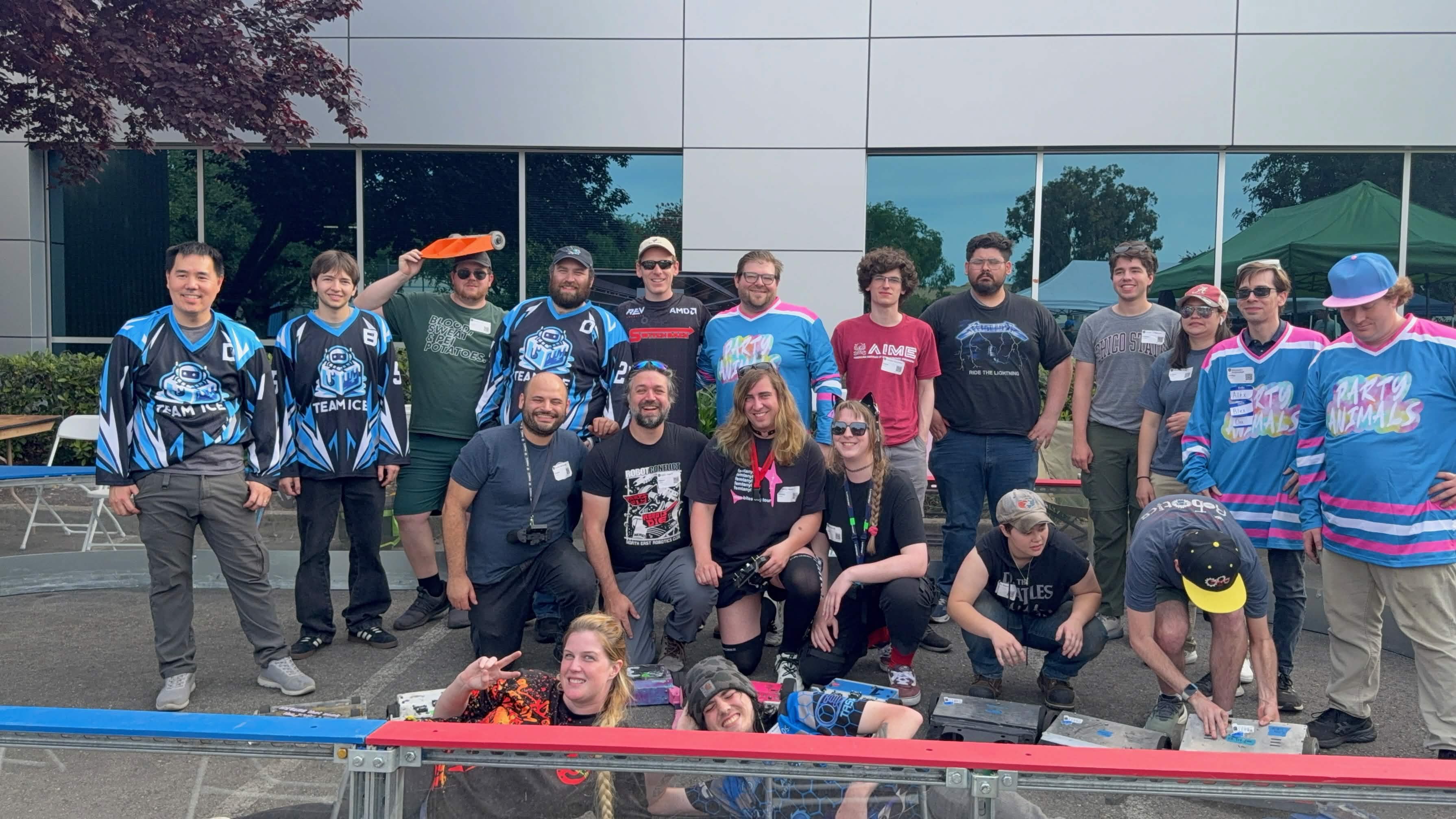
<p><img src="/blog/img/2026-04-25-robots-on-ice/4_group_photo.jpg" alt="me, lucy, scott, and victor" />
<em>Me, Lucy, Victor, and Scott.</em></p>

<p>Another issue was water. The bots were not meant to be watertight, and moisture was not an anticipated issue. We ended up taping up all likely ingress points, which saved our internals. However, the annoying issue came months later - Scott’s robots specifically ended up rusting their black oxide bolts after not drying them fully before storage.</p>

<p>Another annoying issue was how our robots weight distribution and contact patches contributed to spinning out. All of our fork bots weight is in front of our drive wheels. This lets our forks ride on the ground, to get under opponents. But when sliding on the ice, the forks drag more than the wheels - something about the material, edges, etc. and they spin to face backwards. This almost made it better to drive backwards, but this was generally hard to control.</p>

<p>An issue that affected some peoples robots but not our own was radio range/channel usage. There were on the order of 20 robots on the 2.4 ghz band, and many transmitters were on BLE - I didn’t have an SDR to take a look at the airwaves, but many people were having issues with connections dropping out - to the point where victor had to follow his robot around the arena to stay connected.</p>

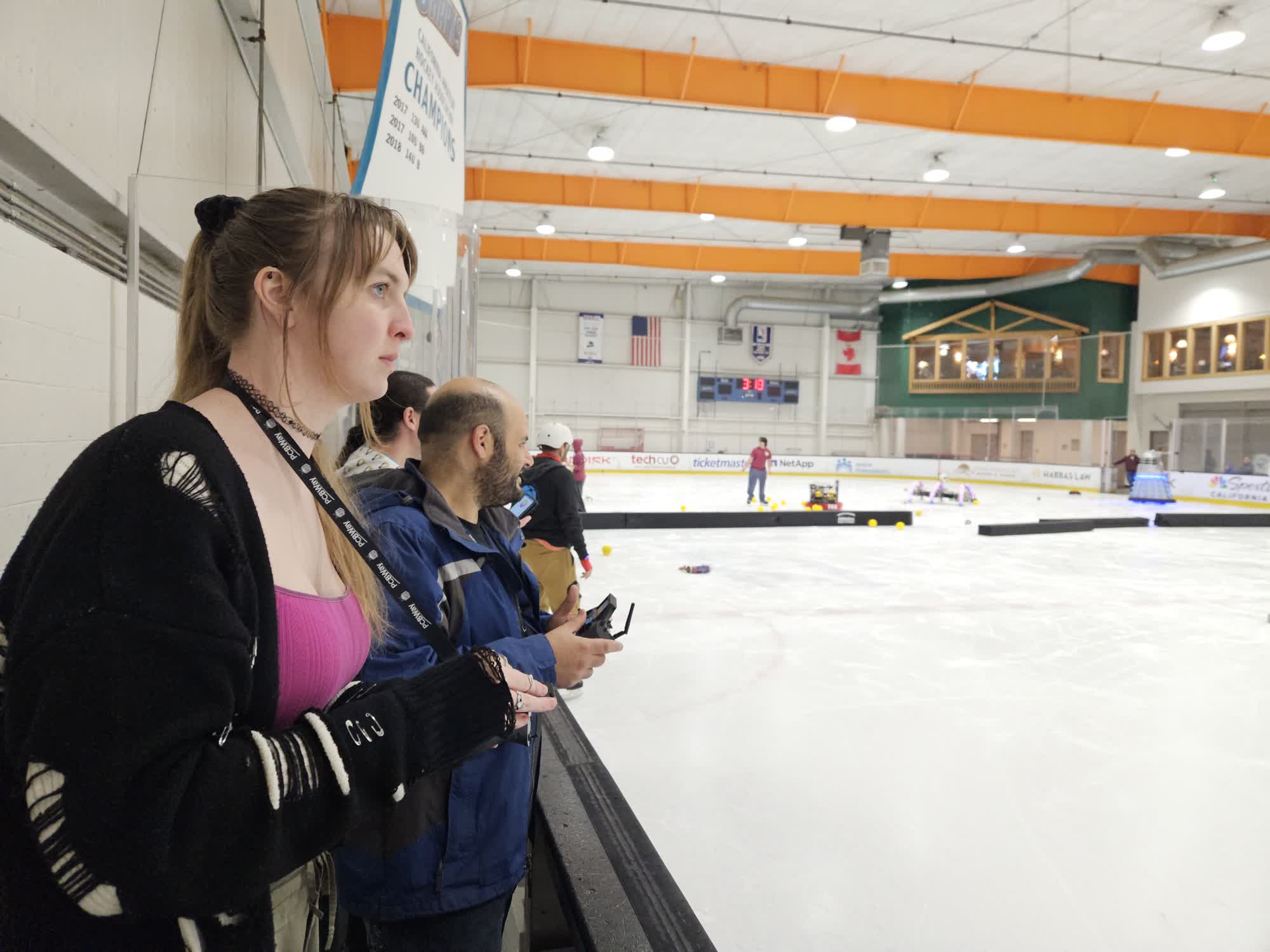
<p><img src="/blog/img/2026-04-25-robots-on-ice/5_drivers.jpg" alt="while we were driving" />
<em>Lucy and Scott focusing on driving.</em></p>

<h2 id="what-was-great">What was great</h2>

<p>Our robots were the only ones that could really handle a puck at all. Most people were just using toys that were either too small or too big to handle the specific size of a puck. I would love to see a full hockey match here on the ice. This was where a kickball, which was large enough to be just bumped into full speed, ended up being the hockey puck for our game.</p>

<p>The FIRST robots were very skilled at driving on the ice. I think the two most mobile teams had swerve drives, and it helped that they were likely heavy - more static friction. I wonder if adding weight would improve grip at the cost of more momentum to pull through turns? I also wonder what their tires were made of.</p>

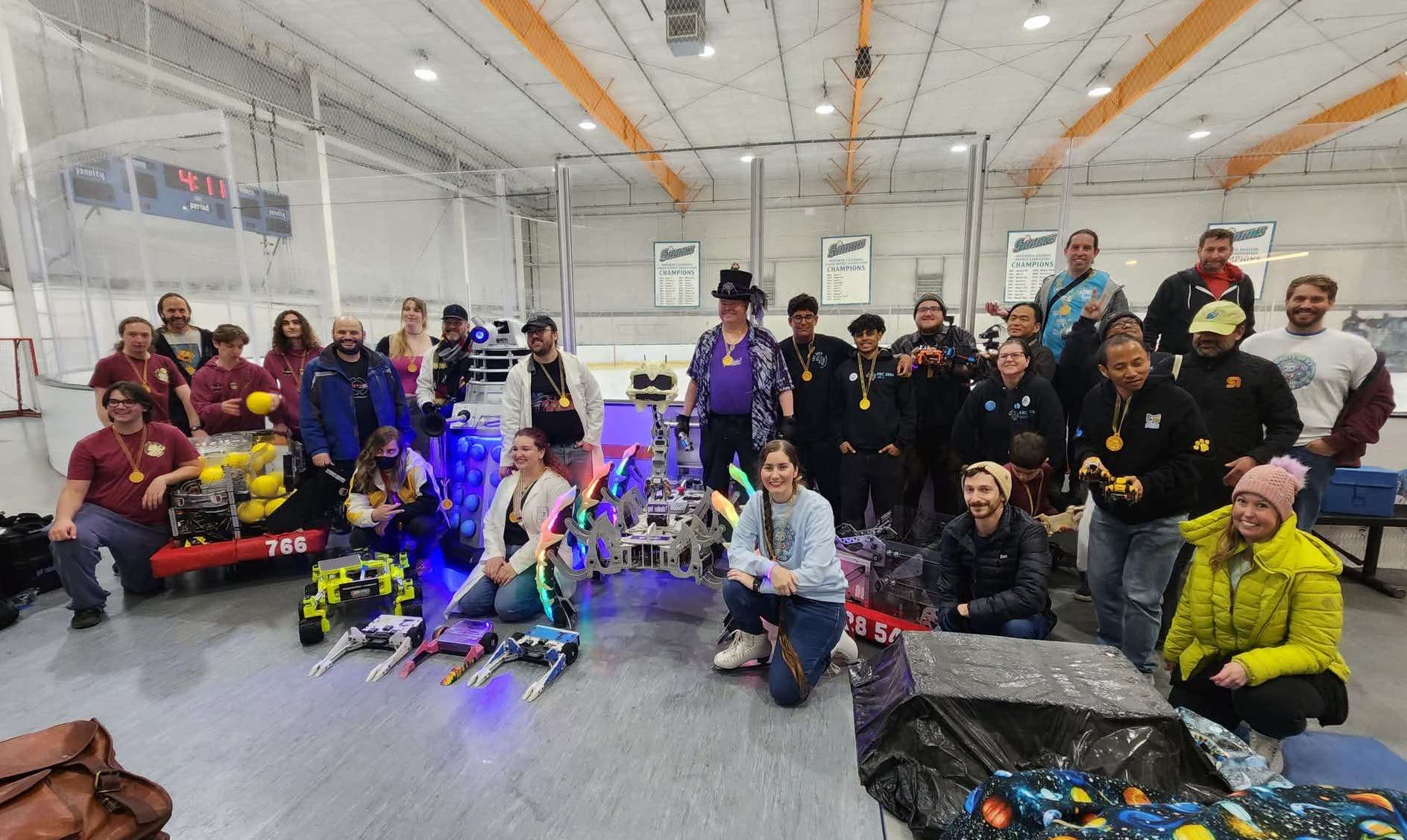
<p><img src="/blog/img/2026-04-25-robots-on-ice/everyone.jpg" alt="full group pic of everyone who was there" /></p>

<h2 id="notes">Notes</h2>

<p>I’ll probably try to go again next year - this was pretty neat. I’ll put more thought into some tires that could really chew up the ice, maybe something with some metal. Theres also no weight restrictions like bot hockey games, so adding a bunch might be worthwhile.</p>]]></content><author><name>Nicky Masso</name></author><category term="blog" /><category term="robot," /><category term="bhl," /><category term="hockey," /><category term="outreach" /><summary type="html"><![CDATA[]]></summary><media:thumbnail xmlns:media="http://search.yahoo.com/mrss/" url="https://starmaid.github.io/blog/img/2026-04-25-robots-on-ice/thumb.jpg" /><media:content medium="image" url="https://starmaid.github.io/blog/img/2026-04-25-robots-on-ice/thumb.jpg" xmlns:media="http://search.yahoo.com/mrss/" /></entry><entry><title type="html">Plants Light Shelf</title><link href="https://starmaid.github.io/blog/plants-light-shelf/" rel="alternate" type="text/html" title="Plants Light Shelf" /><published>2026-04-19T00:00:00+00:00</published><updated>2026-04-19T00:00:00+00:00</updated><id>https://starmaid.github.io/blog/plants-light-shelf</id><content type="html" xml:base="https://starmaid.github.io/blog/plants-light-shelf/"><![CDATA[<p><img src="/blog/img/2026-04-19-plants-light-shelf/done.jpg" alt="picture of the light on the shelf functioning" /></p>

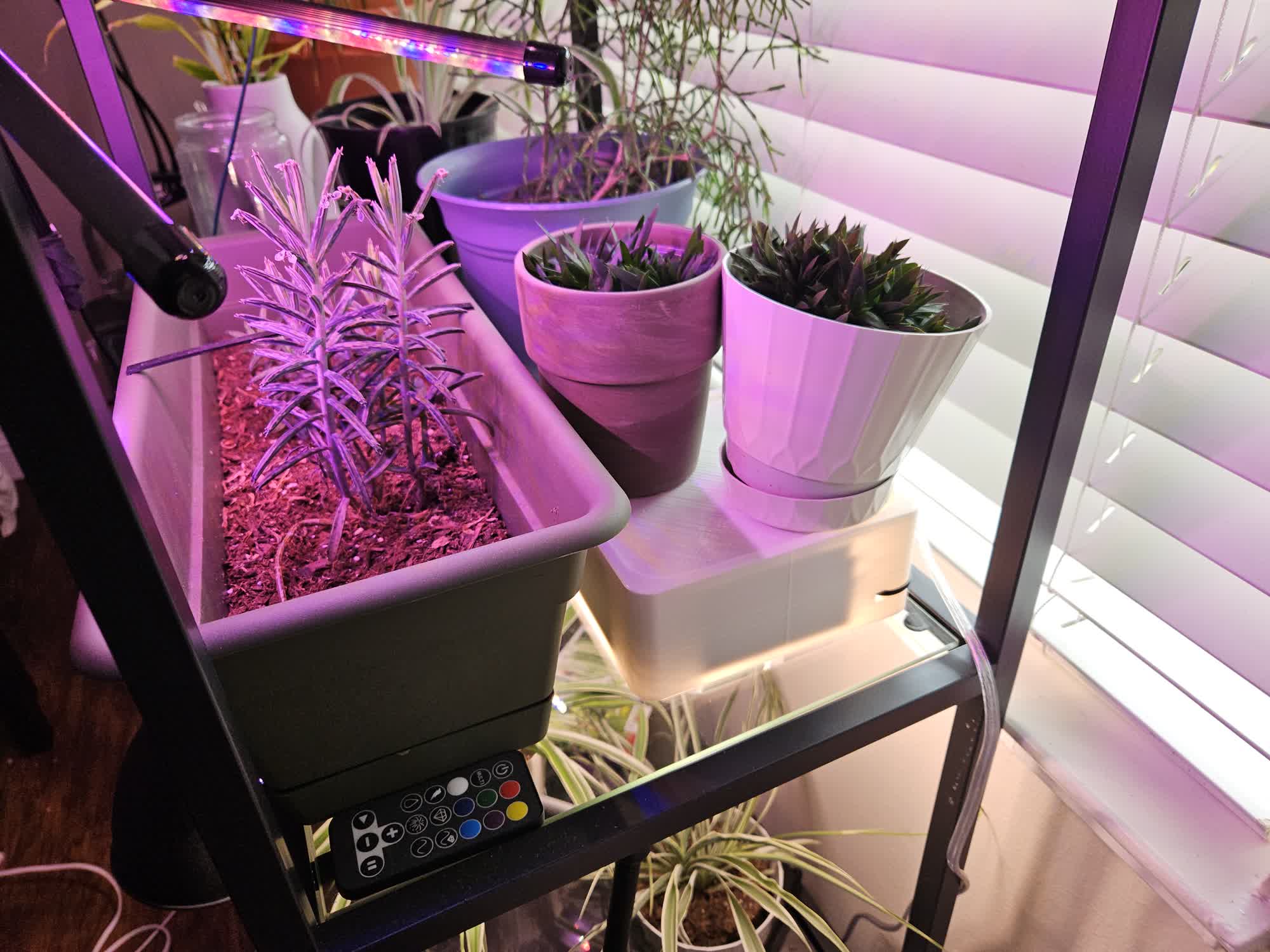
<p>This one is a fast one. Problem: I’m running out of shelf space for plants on my glass shelving unit. Solution: shine light on plants from above one of the glass shelves, while also being a platform for more plants to sit on top of.</p>

<h2 id="design">Design</h2>

<p>I have an <a href="https://en.wikipedia.org/wiki/A-series_light_bulb">A19</a> bulb that I bought a while ago for putting in a lamp in my bathroom and keeping a plant alive. However, the lamp I bought for that was too short and ended up cooking the plant I used at the time. So with no other real use for it, the bulb has been sitting in a box.</p>

<p>I didn’t want this to take up too much space, so the footprint is just big enough to get the bulb centered in the square. The height is also the minimum for holding the bulb horizontally.</p>

<p>I put a small ledge around the top to prevent stuff from sliding off. This did result in suboptimal print orientation for finish quality, but I think it’s ok.</p>

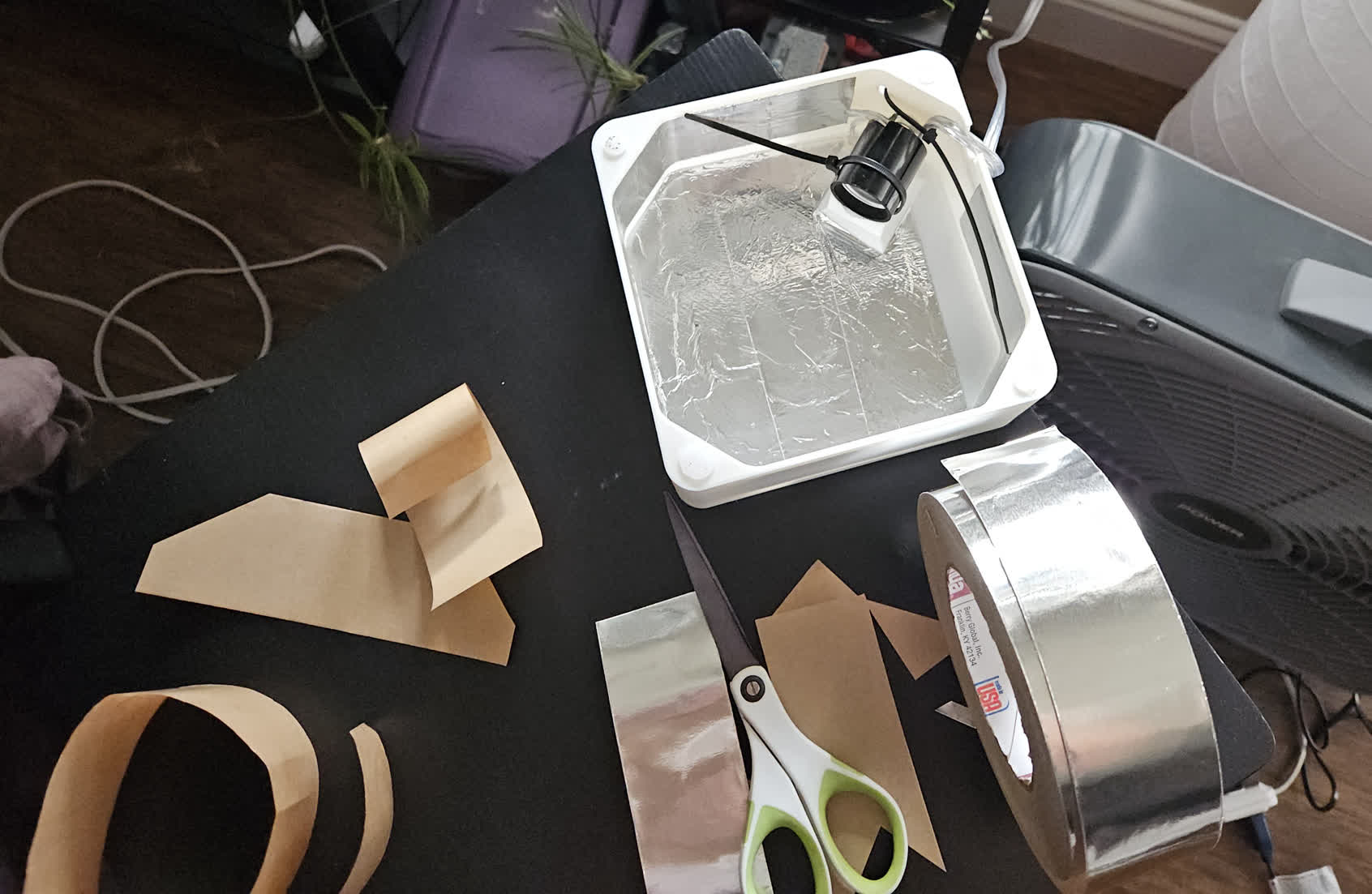
<p><img src="/blog/img/2026-04-19-plants-light-shelf/construction.jpg" alt="picture of the thing upside down" /></p>

<p>The aluminum tape reflects all the light back down to the shelf below, and prevents the PLA from heating up too much.</p>

<h2 id="build">Build</h2>

<p>I used as few custom parts as possible because I didnt want to do this project any longer than I had to.</p>

<table>
  <thead>
    <tr>
      <th>Part</th>
      <th>Source</th>
      <th>Cost</th>
    </tr>
  </thead>
  <tbody>
    <tr>
      <td>Grow light bulb</td>
      <td><a href="https://www.homedepot.com/p/Feit-Electric-9-Watt-E26-A19-Medium-Base-Non-Dim-Indoor-and-Greenhouse-Full-Spectrum-Plant-Grow-LED-Light-Bulb-1-Pack-A19-GROW-LEDG2-BX/312552639">Home depot</a></td>
      <td>$11</td>
    </tr>
    <tr>
      <td>Lamp socket</td>
      <td><a href="https://www.acehardware.com/departments/lighting-and-electrical/replacement-parts-and-accessories/sockets-and-holders/3823390">Ace hardware</a></td>
      <td>$8</td>
    </tr>
    <tr>
      <td>Lamp cord with no switch</td>
      <td><a href="https://www.acehardware.com/departments/lighting-and-electrical/replacement-parts-and-accessories/lamp-parts/3365178">Ace hardware</a></td>
      <td>$10</td>
    </tr>
    <tr>
      <td>Aluminum tape</td>
      <td>???</td>
      <td>$10 ?</td>
    </tr>
    <tr>
      <td>Zip ties</td>
      <td><a href="https://www.harborfreight.com/11-inch-black-cable-ties-pack-of-100-34637.html">harbor freight</a></td>
      <td>$3</td>
    </tr>
  </tbody>
</table>

<p>I just used zip ties to hold the socket and cable because they won’t melt, wont slip, and are easy to design for.</p>

<p><a href="https://www.thingiverse.com/thing:7388284">Link to the 3D model on thingiverse</a></p>]]></content><author><name>Nicky Masso</name></author><category term="blog" /><category term="light," /><category term="3d" /><category term="printing," /><category term="ace" /><category term="hardware" /><summary type="html"><![CDATA[]]></summary><media:thumbnail xmlns:media="http://search.yahoo.com/mrss/" url="https://starmaid.github.io/blog/img/2026-04-19-plants-light-shelf/done.jpg" /><media:content medium="image" url="https://starmaid.github.io/blog/img/2026-04-19-plants-light-shelf/done.jpg" xmlns:media="http://search.yahoo.com/mrss/" /></entry><entry><title type="html">Bot Hockey at Nexus Knockout 3</title><link href="https://starmaid.github.io/blog/nexus-knockout-3/" rel="alternate" type="text/html" title="Bot Hockey at Nexus Knockout 3" /><published>2026-04-04T00:00:00+00:00</published><updated>2026-04-04T00:00:00+00:00</updated><id>https://starmaid.github.io/blog/nexus-knockout-3</id><content type="html" xml:base="https://starmaid.github.io/blog/nexus-knockout-3/"><![CDATA[<iframe width="100%" height="315" src="https://www.youtube.com/embed/QC39mv8_2Qo" frameborder="0" allowfullscreen=""></iframe>

<h2 id="what-even-is-nexus-knockout">What even is nexus knockout?</h2>

<p>Basically check out the <a href="https://www.robotcombatevents.com/events/6477">Robot Combat Events website</a> for a rundown. Its at Maker’s Nexus in Sunnyvale, CA. Its full combat up to 3lbs, plus bot hockey. This was the same event, two years prior, that I learned about the sport and got inspired to try it myself (<a href="/blog/_posts/2025-07-20-hockey-robot.md">See that blog post here</a>). This time, I had my own bot.</p>

<h3 id="did-you-do-anything-to-prep-since-open-sauce-2025">Did you do anything to prep since open sauce 2025?</h3>

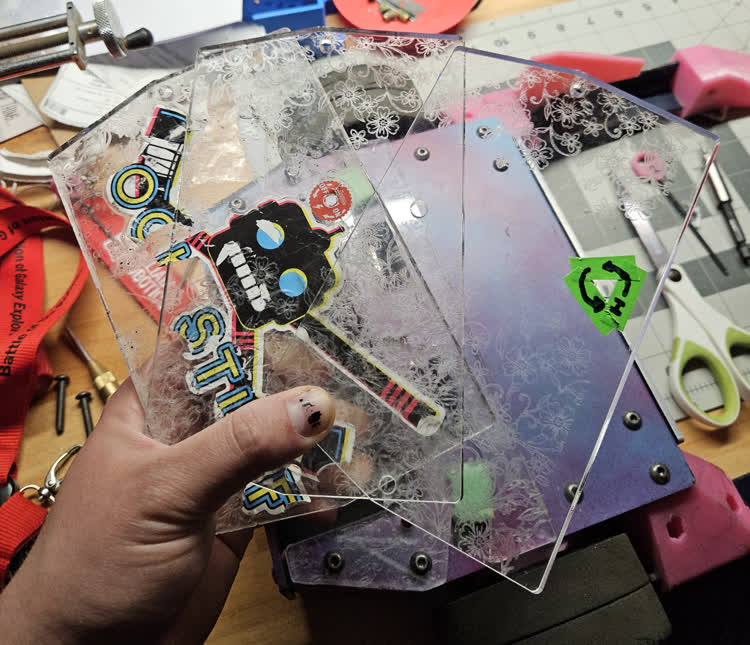
<p>One massive change: I ordered laser-cut aluminum panels for my robot. Exact same design, but more able to take a beating than the acrylic.</p>

<p><img src="/blog/img/2026-04-04-nexus-knockout-3/panels.jpg" alt="alternate acrylic panels" /></p>

<p><em>The alternate battery covers, with the clean robot behind them. I didn’t want to lose the clear battery cover…</em></p>

<p>I reprinted a lot of the robot for fresher, stronger parts than immediately after open sauce. I also got rid of the last internal PLA parts and replaced them with TPU.</p>

<p><img src="/blog/img/2026-04-04-nexus-knockout-3/night_practice.jpg" alt="picture of it at night near my car" /></p>

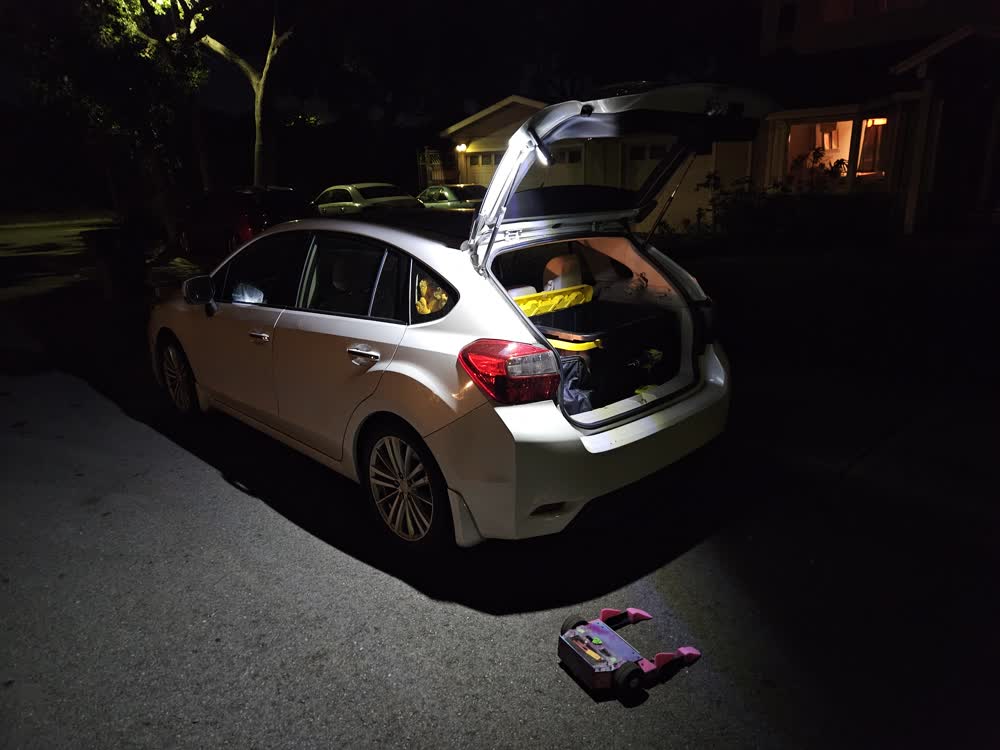
<p><em>Night Practice near Scott’s house</em></p>

<h2 id="the-games">The Games</h2>

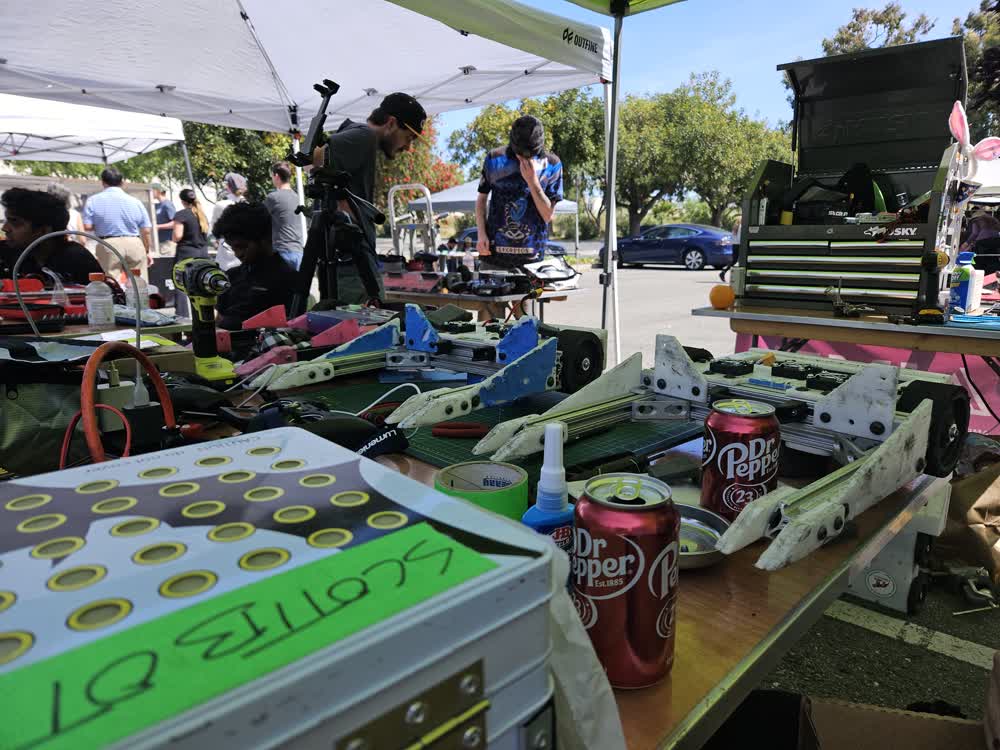
<p>This time, rallying under the unified team Scottbot, we had a full 6 bots - Scott with 1 and 2, Orion with his 3, and me with my single competitor. Lucy was also there to get some experience driving. We were also lowkey cracked.</p>

<p><img src="/blog/img/2026-04-04-nexus-knockout-3/team_photo.jpg" alt="team photo" /></p>

<p><img src="/blog/img/2026-04-04-nexus-knockout-3/dr_pepper.jpg" alt="dr pepper" /></p>

<h3 id="morning">Morning</h3>

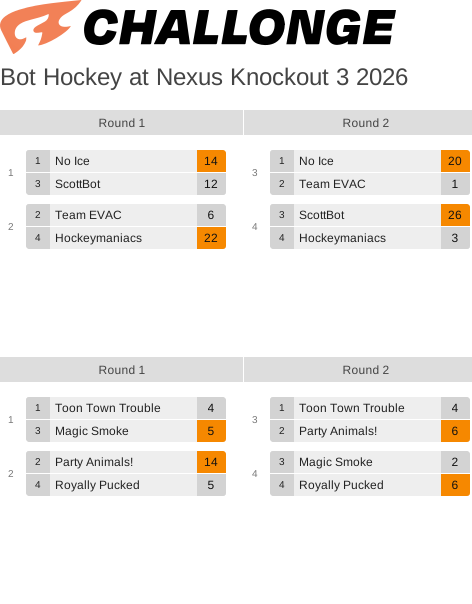
<p>Group stage. We lost to No-Ice (just by two points - very close game) and crushed the hockeymaniacs.</p>

<p><img src="/blog/img/2026-04-04-nexus-knockout-3/nexusknockout3_groups.svg" alt="group stage bracket" /></p>

<p>We knew No-Ice was going to be tough, and our team was still getting our footing. Hockeymaniacs had some good bots, but I think they were having some hardware issues.</p>

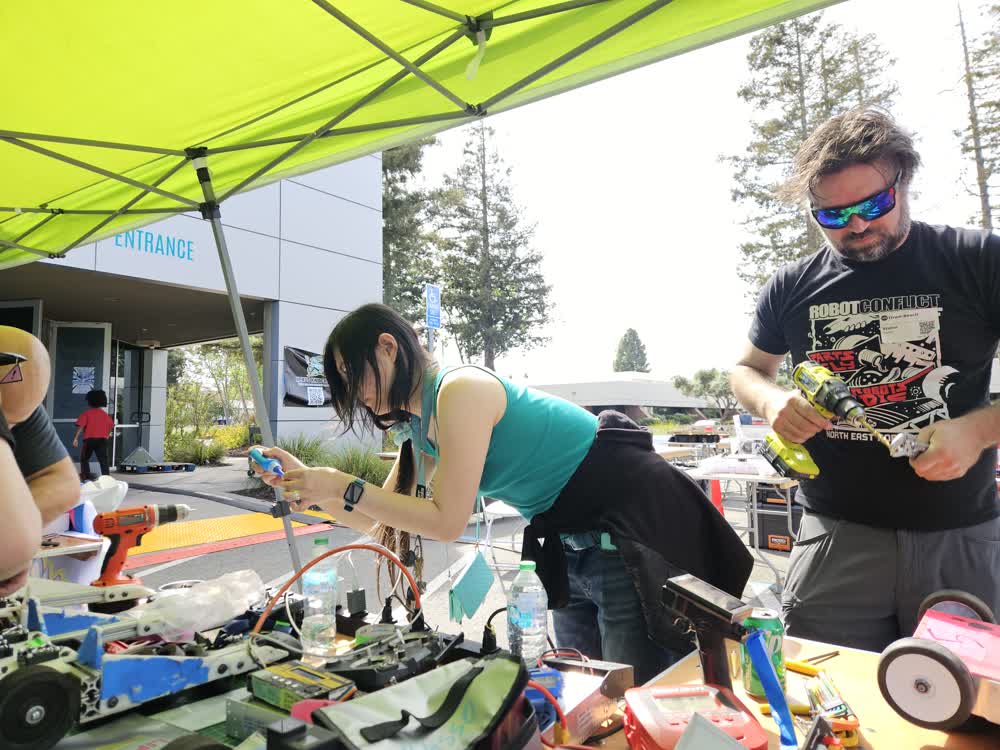
<p><img src="/blog/img/2026-04-04-nexus-knockout-3/bree_and_orion.jpg" alt="working on the bots" /></p>

<h3 id="lunch-break">Lunch Break</h3>

<p>My friend Bree showed up to hang out, and brought her RC drift cars. They got a bit torn up on the parking lot, but were a lot of fun.</p>

<iframe width="100%" height="315" src="https://www.youtube.com/embed/jzdOLfMVCUU" frameborder="0" allowfullscreen=""></iframe>

<h2 id="the-rest">The rest</h2>

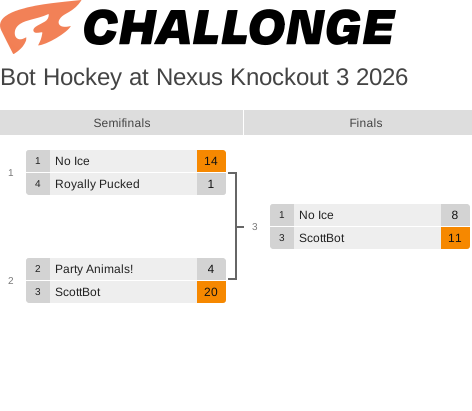
<p>Smashed The Party Animals, but theyre always fun to play. Met team No-Ice in the finals, and had one of the lowest-scoring matches I think I’ve ever seen. Defense was extra good here.</p>

<p><img src="/blog/img/2026-04-04-nexus-knockout-3/nexusknockout3_bracket.svg" alt="elimination bracket" /></p>

<p>My bot managed to stay mostly cool, but at the end of the last match the motors were hotter than I had ever seen them. Definitely was driving hard, in direct sunlight.</p>

<h2 id="next-step">Next Step</h2>

<p>So we won! Next up is open sauce.</p>

<p><img src="/blog/img/2026-04-04-nexus-knockout-3/victory_group_photo.jpg" alt="all teams group photo" /></p>

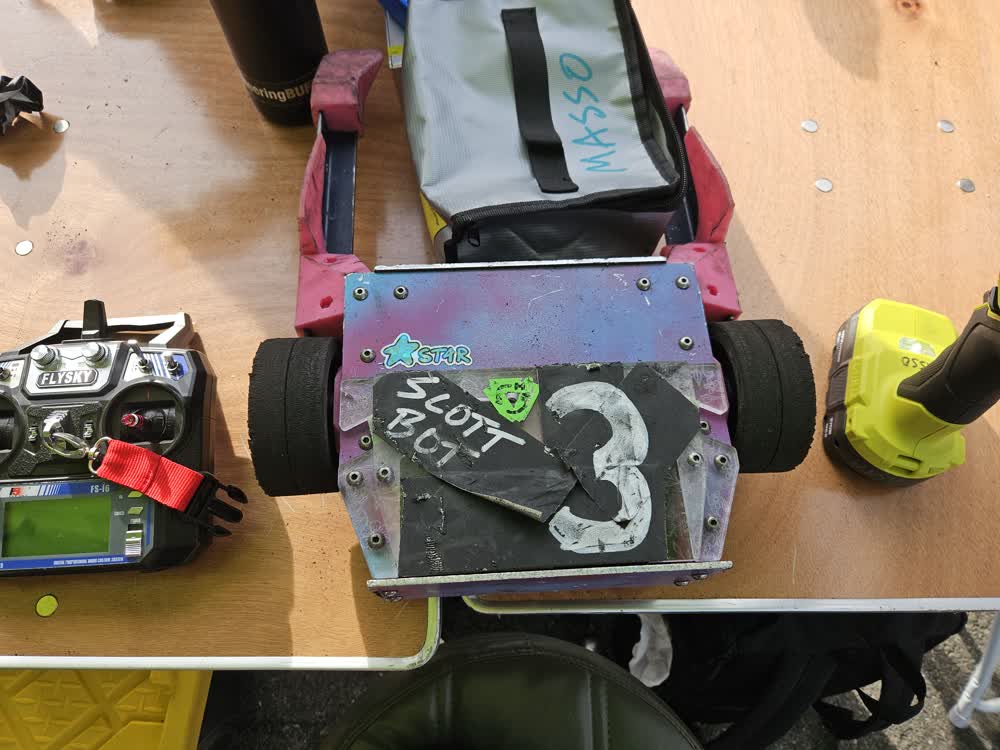
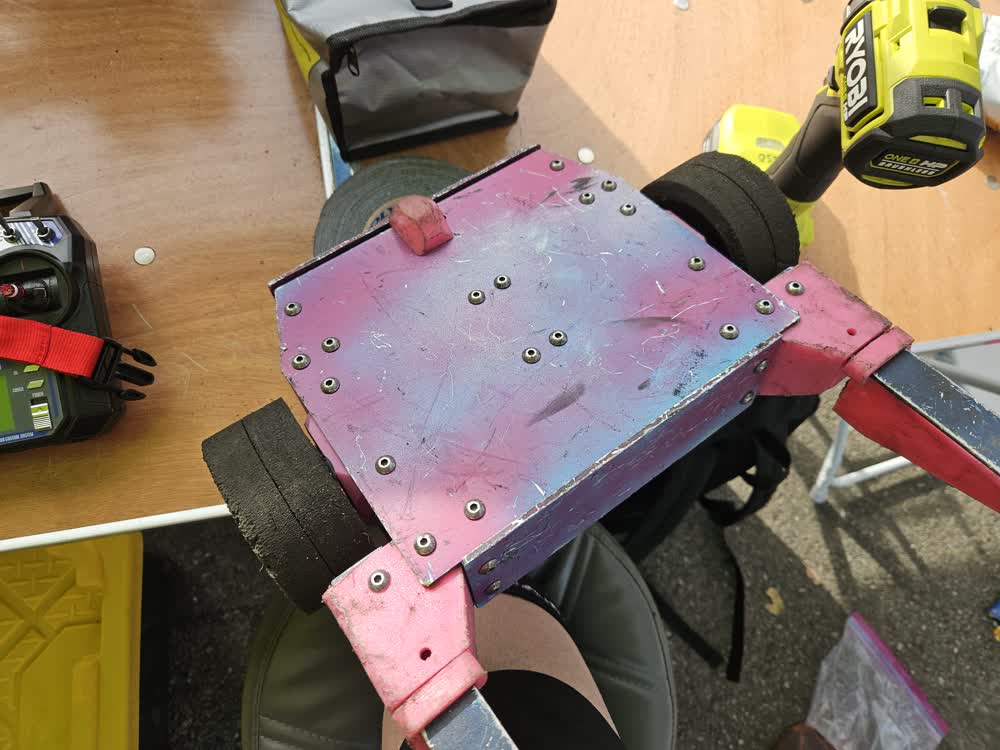
<p>The damage to my robot with the aluminum panels was very minimal.</p>

<p><img src="/blog/img/2026-04-04-nexus-knockout-3/damage_top.jpg" alt="damage top" /></p>

<p><img src="/blog/img/2026-04-04-nexus-knockout-3/damage_bottom.jpg" alt="damage bottom" /></p>]]></content><author><name>Nicky Masso</name></author><category term="blog" /><category term="combat," /><category term="robot," /><category term="bhl," /><category term="hockey" /><summary type="html"><![CDATA[]]></summary><media:thumbnail xmlns:media="http://search.yahoo.com/mrss/" url="https://starmaid.github.io/blog/img/2026-04-04-nexus-knockout-3/slam.gif" /><media:content medium="image" url="https://starmaid.github.io/blog/img/2026-04-04-nexus-knockout-3/slam.gif" xmlns:media="http://search.yahoo.com/mrss/" /></entry><entry><title type="html">Eternal September</title><link href="https://starmaid.github.io/blog/eternal-september/" rel="alternate" type="text/html" title="Eternal September" /><published>2026-01-11T00:00:00+00:00</published><updated>2026-01-11T00:00:00+00:00</updated><id>https://starmaid.github.io/blog/eternal-september</id><content type="html" xml:base="https://starmaid.github.io/blog/eternal-september/"><![CDATA[<style>
    .calcbox {
        padding: 5px;
        color: black;
        background: white;
        align-items: center;
        display: flex;
        flex-direction: column;
        width: min-content;
    }

    .calcbox2 {
        flex: auto;
        padding: 5px;
        border: 1px solid black;
        gap: 16px;
        flex-direction: column;
    }

    .fieldbox {
        padding: 5px;
        width: 170px;
        flex: 1 1 auto;
        display: flex;
        height: min-content;
    }

    .buttonbox {
        padding: 5px;
        width: 160px;
        flex: 1 1 auto;
        display: flex;
        flex-flow: row;
    }

    .calccontainer {
        margin: 3%;
        min-width: 270px;
        font-family: serif;
        align-items: center;
    }

    .calccontainer2 {
        width: 100%;
        align-items: center;
        display: flex;
        flex-direction: column;
    }
</style>

<div class="calccontainer">
    <div class="calccontainer2">
        <div class="calcbox">
            <div class="calcbox2">
                <div class="fieldbox">
                    1993-09-<input id="sdatedays" type="text" maxlength="8" size="8" />
                </div>
                <div class="buttonbox">
                    <button type="button" id="sdate2date">Convert to normie time</button>
                </div>
                <div id="sdateMsgBox"></div>
            </div>
        </div>
        <div class="calcbox">
            <div class="calcbox2">
                <div class="fieldbox">
                    <input id="dateyear" type="text" maxlength="4" size="4" value="2026" />
                    -<input id="datemonth" type="text" maxlength="2" size="2" value="01" />
                    -<input id="dateday" type="text" maxlength="2" size="2" value="12" />
                </div>
                <div class="buttonbox">
                    <button type="button" id="date2sdate">Convert to eternal september time</button>
                </div>
                <div id="dateMsgBox"></div>
            </div>
        </div>
    </div>
</div>

<script type="module" src="/blog/img/2026-01-11-eternal-september/datetest.js"></script>

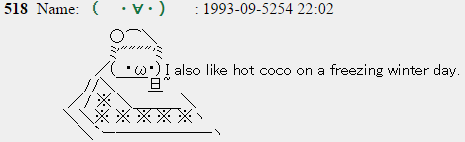
<p>If you don’t want to google “how many days since august 30 1993”. <a href="https://en.wikipedia.org/wiki/Eternal_September">If you don’t know what I’m talking about.</a></p>

<p><img src="/blog/img/2026-01-11-eternal-september/example.jpg" alt="" /></p>]]></content><author><name>Nicky Masso</name></author><category term="blog" /><category term="tool," /><category term="internet" /><category term="history" /><summary type="html"><![CDATA[]]></summary><media:thumbnail xmlns:media="http://search.yahoo.com/mrss/" url="https://starmaid.github.io/blog/img/2026-01-11-eternal-september/prion_thumb.png" /><media:content medium="image" url="https://starmaid.github.io/blog/img/2026-01-11-eternal-september/prion_thumb.png" xmlns:media="http://search.yahoo.com/mrss/" /></entry><entry><title type="html">Space Probe String Lights</title><link href="https://starmaid.github.io/blog/space-probe-lights/" rel="alternate" type="text/html" title="Space Probe String Lights" /><published>2026-01-09T00:00:00+00:00</published><updated>2026-01-09T00:00:00+00:00</updated><id>https://starmaid.github.io/blog/space-probe-lights</id><content type="html" xml:base="https://starmaid.github.io/blog/space-probe-lights/"><![CDATA[<p><img src="/blog/img/2026-01-09-space-probe-lights/string.jpg" alt="Full string of lights" /></p>

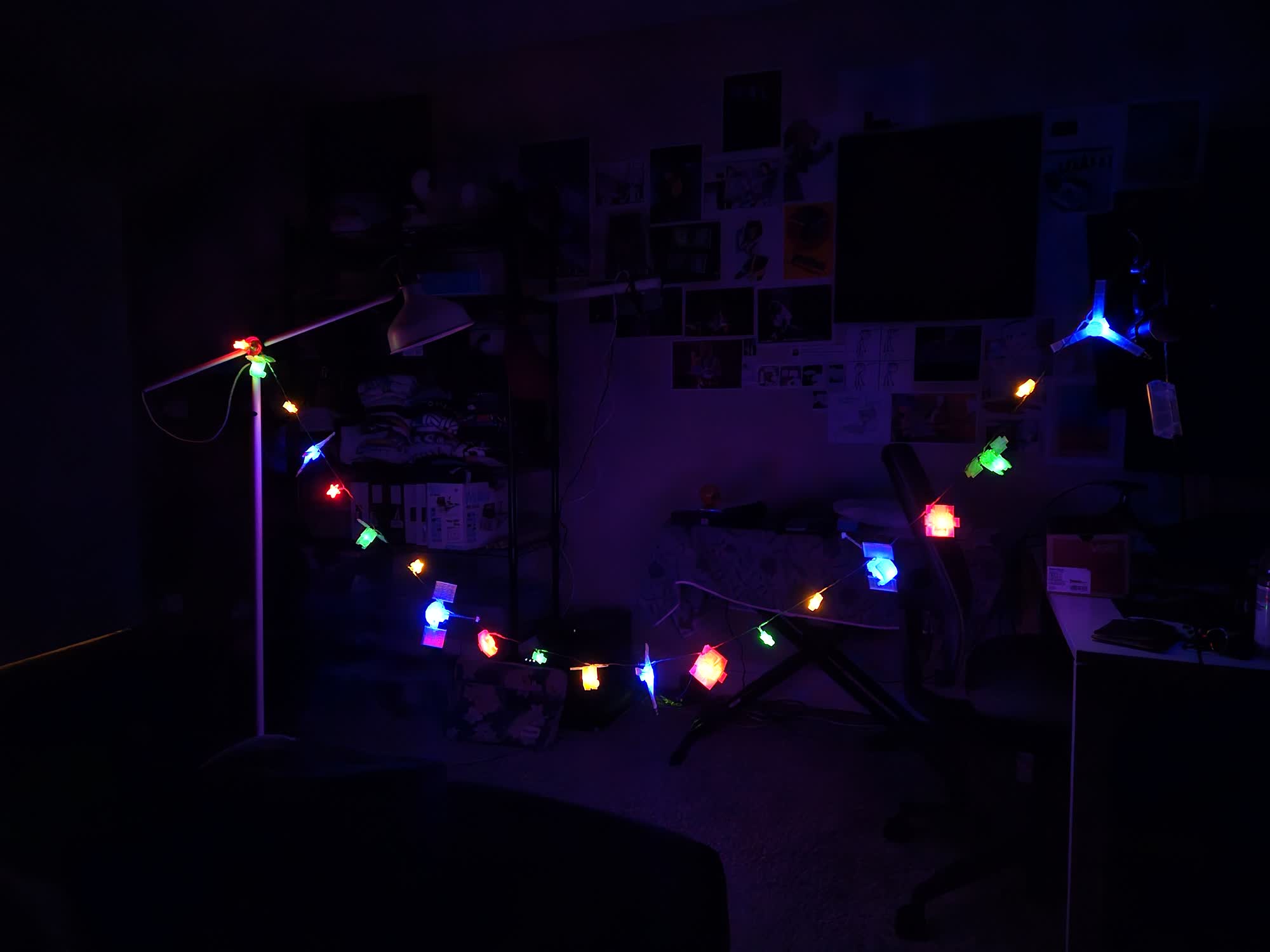
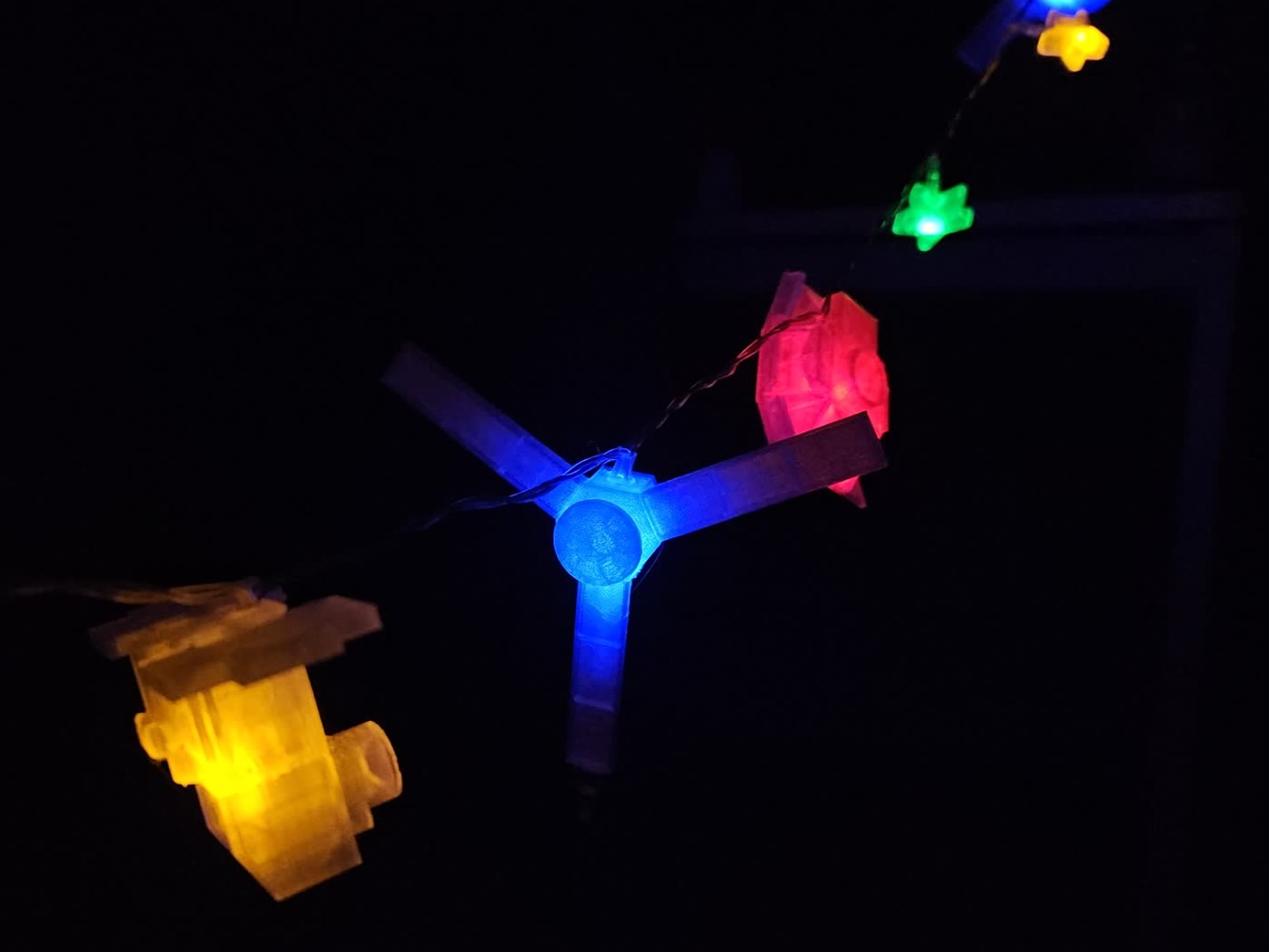
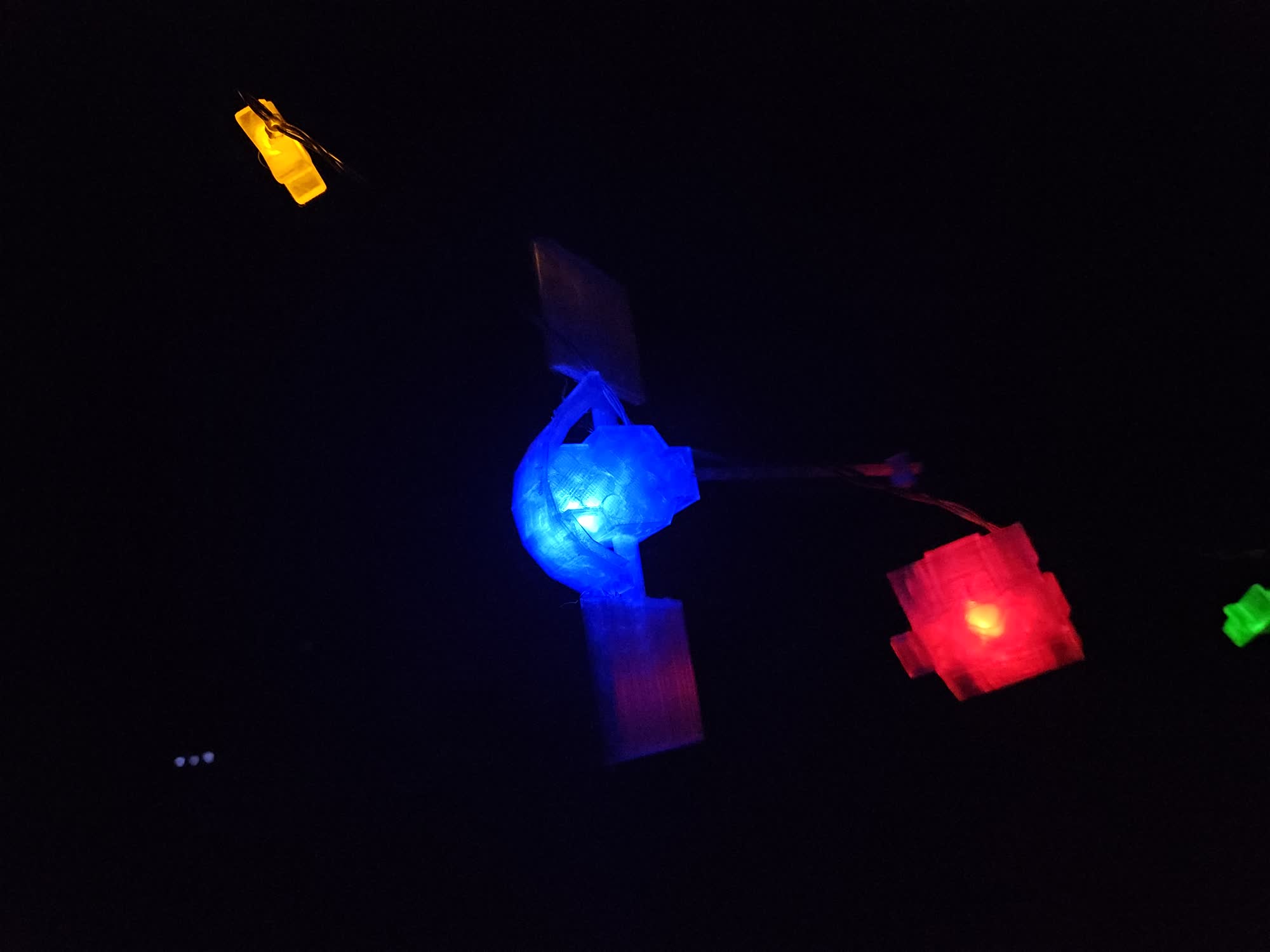
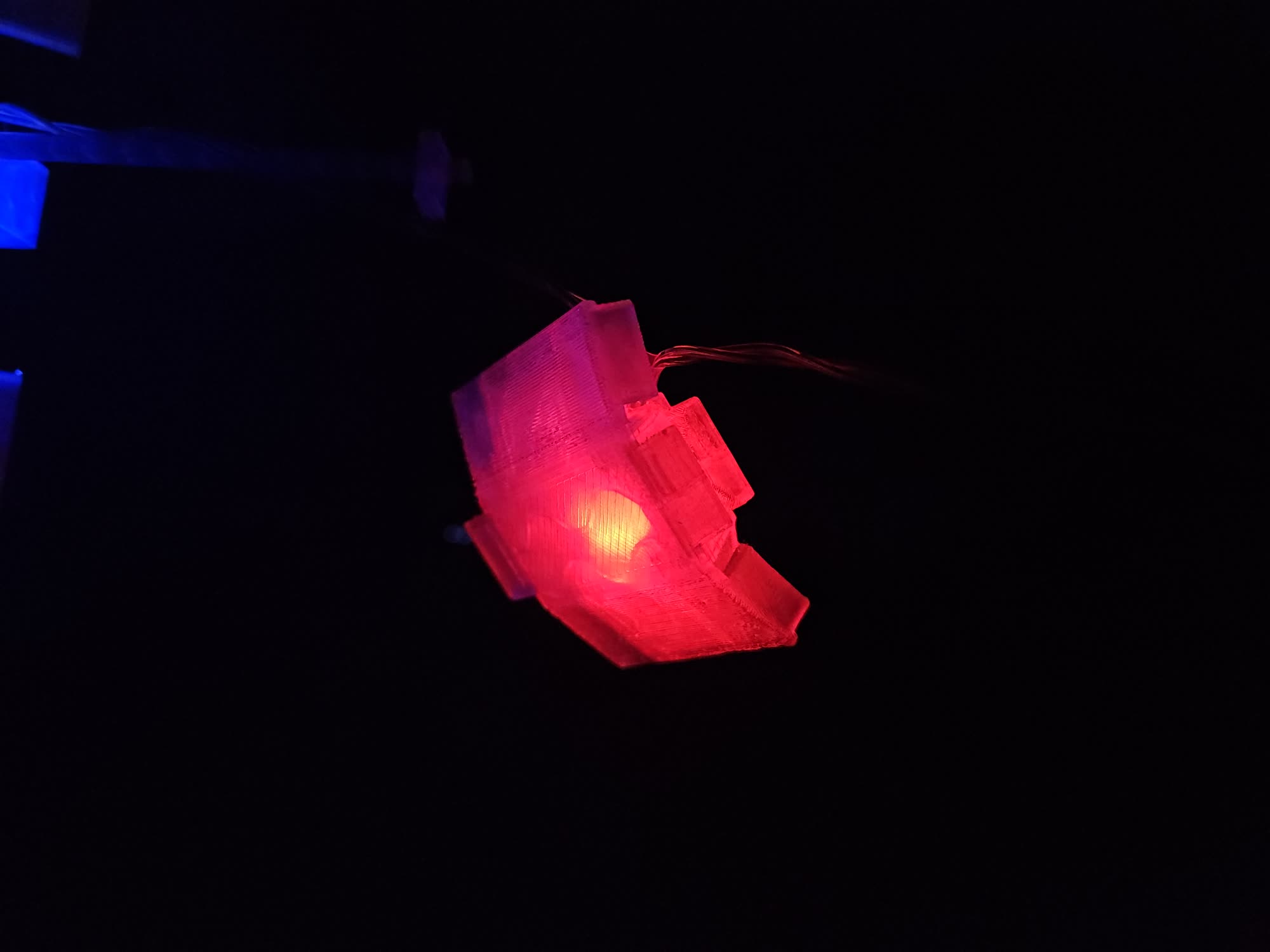
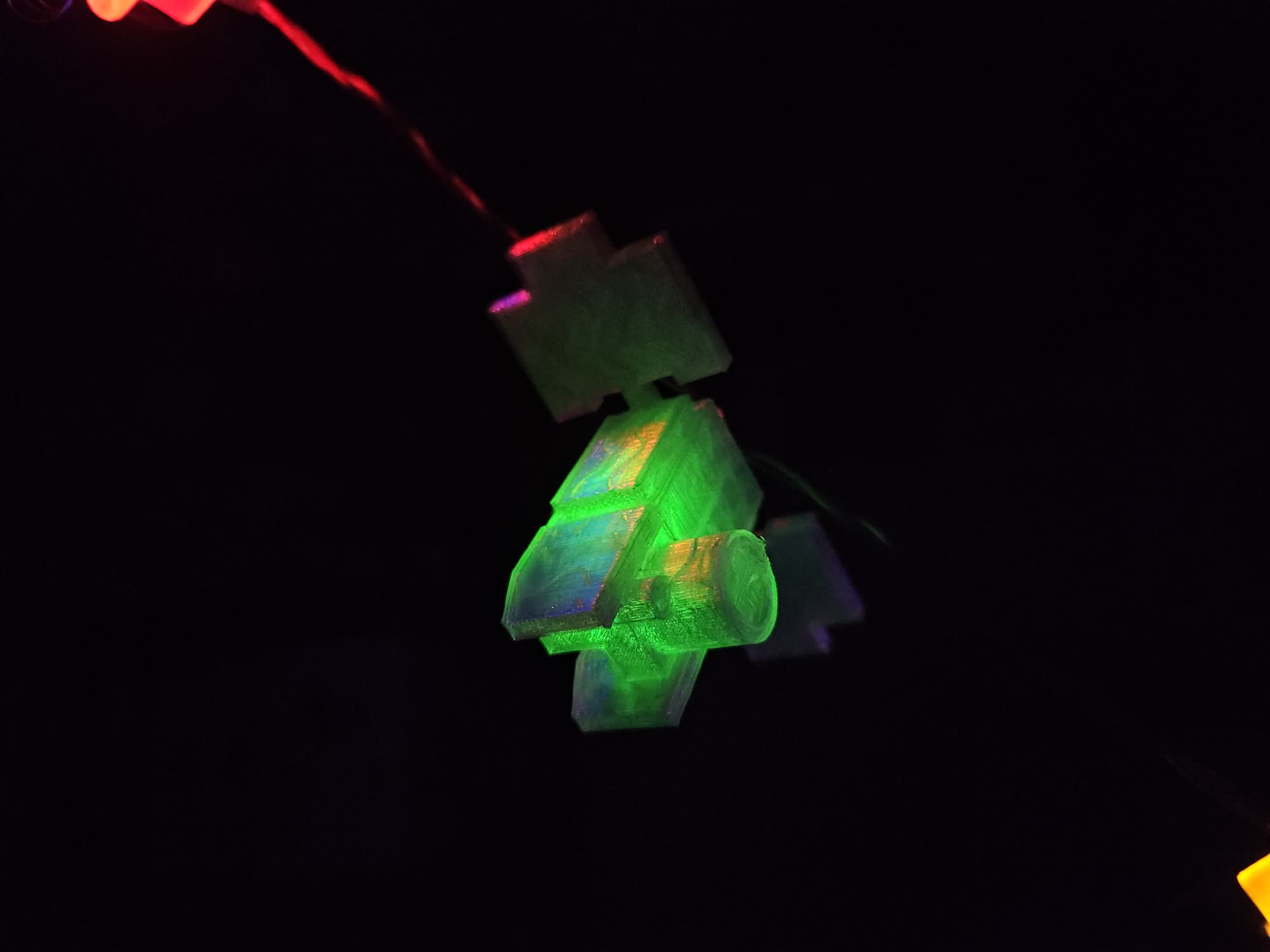
<p>Made as a secret santa for <a href="https://rustyrat.carrd.co/">Rusty</a> as part of the 2025 Ebro gift exchange. I made lo-poly models of the space probes his OCs are based on, and attached them to an LED string light. I also modified the light to be powered from a USB plug, rather than AA batteries.</p>

<p><img src="/blog/img/2026-01-09-space-probe-lights/juno.jpg" alt="Juno" /></p>

<p><em><a href="https://en.wikipedia.org/wiki/Juno_(spacecraft)">Juno</a>, 2011 mission to Jupiter.</em></p>

<p><img src="/blog/img/2026-01-09-space-probe-lights/msgr.jpg" alt="Messenger" /></p>

<p><em><a href="https://en.wikipedia.org/wiki/MESSENGER">MESSENGER</a>, 2004 mission to Mercury.</em></p>

<p><img src="/blog/img/2026-01-09-space-probe-lights/chip.jpg" alt="CHIPSat" /></p>

<p><em><a href="https://en.wikipedia.org/wiki/CHIPS_(satellite)">CHIPSat</a>, 2003 mission orbiting Earth observing UV emissions from interstellar gas clouds. Launched in the same rocket as ICESat.</em></p>

<p><img src="/blog/img/2026-01-09-space-probe-lights/ice.jpg" alt="ICESat" /></p>

<p><em><a href="https://en.wikipedia.org/wiki/ICESat">ICESat 1</a>, 2003 mission orbiting earth measuring elevation for ice sheets and atmospheric measurements. Launched in the same rocket as CHIPSat.</em></p>]]></content><author><name>Nicky Masso</name></author><category term="blog" /><category term="light," /><category term="LED," /><category term="17776" /><summary type="html"><![CDATA[Made as a secret santa for Rusty as part of the 2025 Ebro gift exchange. I made lo-poly models of the space probes his OCs are based on, and attached them to an LED string light. I also modified the light to be powered from a USB plug, rather than AA batteries. Juno, 2011 mission to Jupiter. MESSENGER, 2004 mission to Mercury. CHIPSat, 2003 mission orbiting Earth observing UV emissions from interstellar gas clouds. Launched in the same rocket as ICESat. ICESat 1, 2003 mission orbiting earth measuring elevation for ice sheets and atmospheric measurements. Launched in the same rocket as CHIPSat.]]></summary><media:thumbnail xmlns:media="http://search.yahoo.com/mrss/" url="https://starmaid.github.io/blog/img/2026-01-09-space-probe-lights/juno.jpg" /><media:content medium="image" url="https://starmaid.github.io/blog/img/2026-01-09-space-probe-lights/juno.jpg" xmlns:media="http://search.yahoo.com/mrss/" /></entry><entry><title type="html">Portable LAN</title><link href="https://starmaid.github.io/blog/mobile-network/" rel="alternate" type="text/html" title="Portable LAN" /><published>2025-12-18T00:00:00+00:00</published><updated>2025-12-18T00:00:00+00:00</updated><id>https://starmaid.github.io/blog/mobile-network</id><content type="html" xml:base="https://starmaid.github.io/blog/mobile-network/"><![CDATA[<p><img src="/blog/img/2025-12-18-mobile-network/overview.jpg" alt="overview" /></p>

<p>I made a battery-powered LAN network setup to carry with me.</p>

<p><img src="/blog/img/2025-12-18-mobile-network/randbeacon_use.jpg" alt="" /></p>

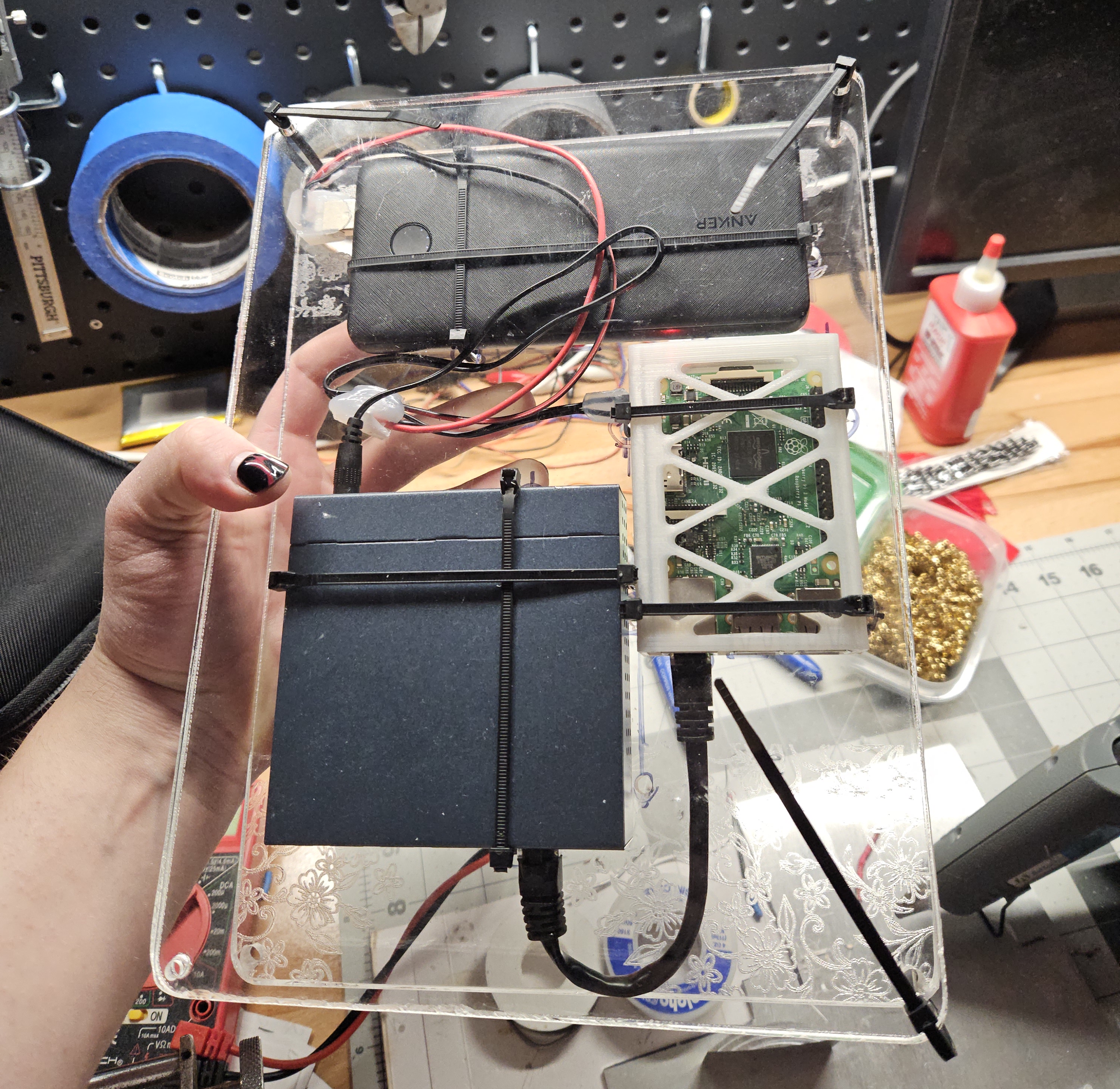
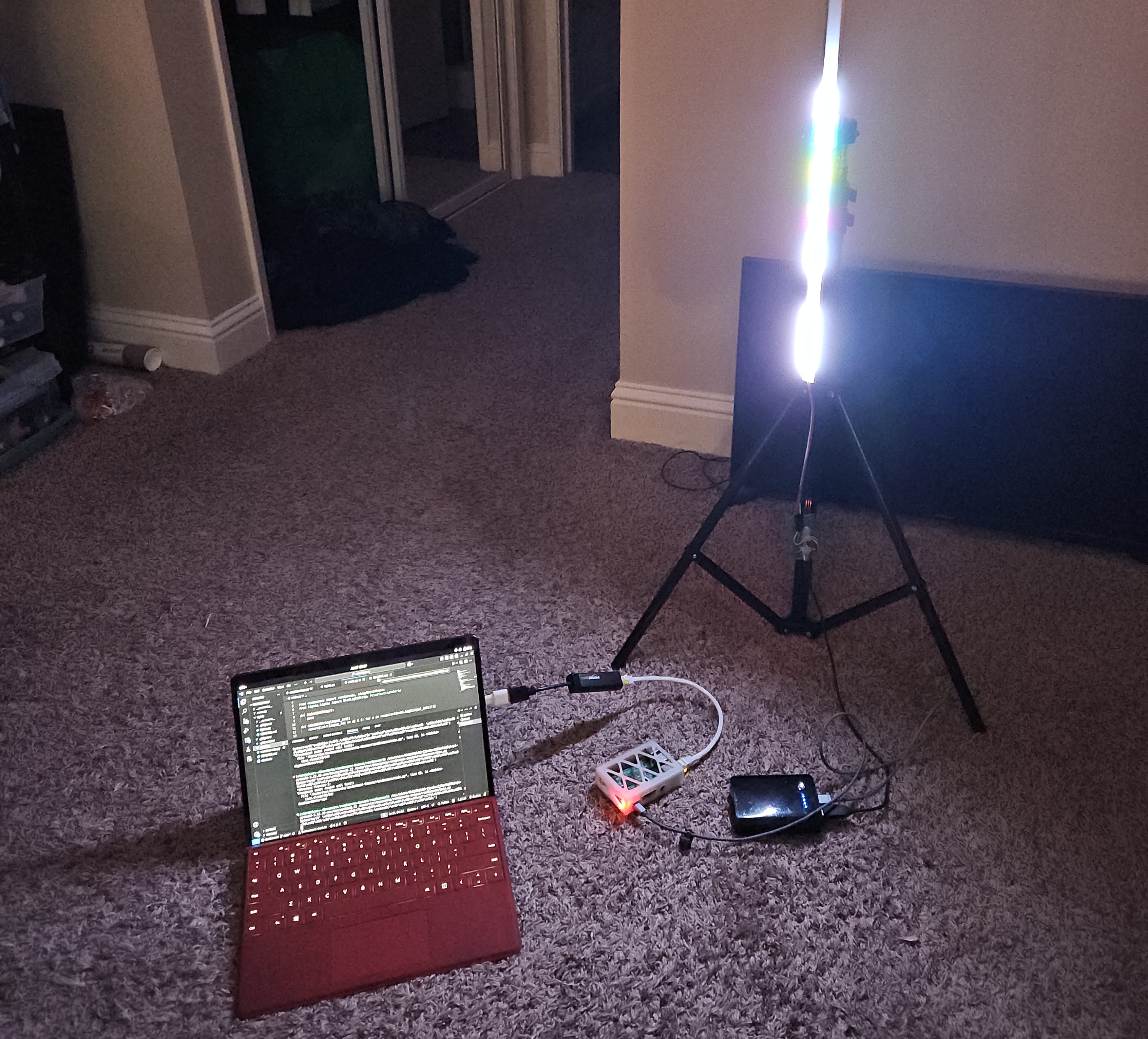
<p>While working on my <a href="https://github.com/starmaid/randbeacon">randbeacon</a> project, I wanted to manage my WLED setups at OpenSauce with an ethernet interface - so I could use my laptop’s wireless card to connect to the venue’s network. As you can see, the initial setup with this raspberry pi was a little clunky and annoying. The core parts are there, a usb-ethernet adapter and a phone charging battery pack. I tried carrying this around outside while getting photos for that project, and it was the worst.</p>

<p>The core is a RPi3 running <a href="openwrt.org">OpenWRT</a>, a fast and straightforward network router firmware. I also picked up a Gigabit network switch, which is throttled by the RPi3’s 10/100 ethernet port - but this isn’t primarily for speed, this is for when nothing else would work.</p>

<p>Another critical piece is that the switch is powered off 5V DC. This way I was able to make a dead simple cable that connects to a phone charger battery, which is way easier to integrate into a project than naked Lithium batteries and charge controllers. Regulating voltage is annoying, and more expensive anyway if the usecase doesn’t call for extreme current draw.</p>

<table>
  <thead>
    <tr>
      <th>Part</th>
      <th>Cost</th>
    </tr>
  </thead>
  <tbody>
    <tr>
      <td>Raspberry Pi 3B+</td>
      <td>Basically free at this point</td>
    </tr>
    <tr>
      <td><a href="https://www.amazon.com/dp/B00A128S24">TP-Link TL-SG105 Switch</a></td>
      <td>$13</td>
    </tr>
    <tr>
      <td><a href="https://www.amazon.com/dp/B0D5CLSMFB">Anker Power Bank “PowerCore 10K”</a></td>
      <td>$21 (used)</td>
    </tr>
    <tr>
      <td>Two scrap sheets of 1/4” Acrylic</td>
      <td>$2</td>
    </tr>
    <tr>
      <td>Handfull of zip ties</td>
      <td>Free</td>
    </tr>
    <tr>
      <td>Cannabalized USB cable</td>
      <td>Free</td>
    </tr>
  </tbody>
</table>

<p>The acrylic was scrap cutoffs from TAP plastics here in the bay area. They go for a dollar a sheet and are great value if the stuff you are making is small. I did round the corners and cut some holes, so the QL laser cutter came in handy again.</p>

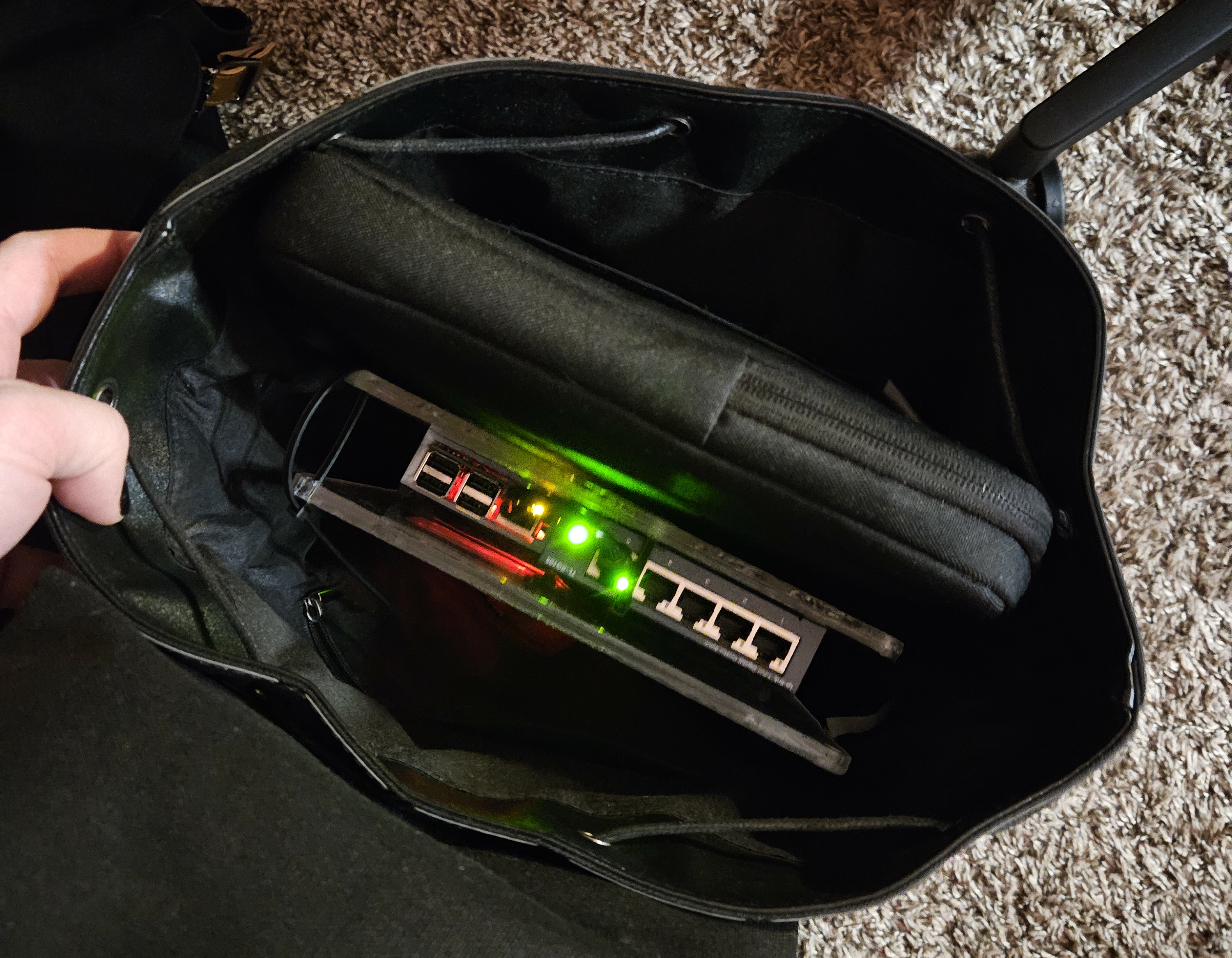
<p><img src="/blog/img/2025-12-18-mobile-network/in_bag.jpg" alt="" /></p>

<p><em>This setup fits perfectly in a backpack.</em></p>

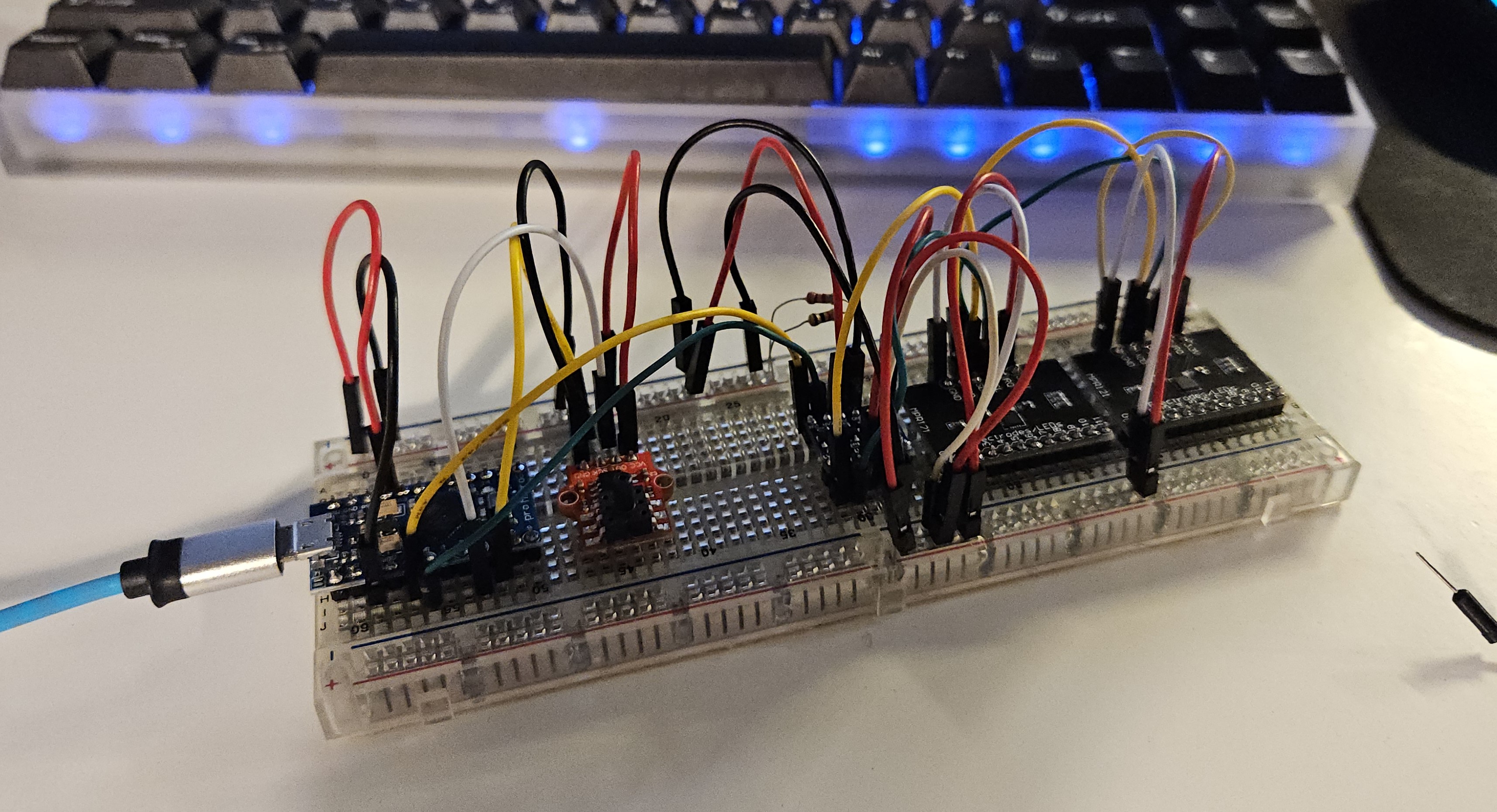
<p>Another good thing to know is battery life. Mathematically, the 10 Ah pack could provide about 3 hours and 20 minutes of operation for the rated max of 2.5A (RPI 3B+) + 0.46A (Switch). In my own test of letting everything idle, the battery lasts about 12 hours. With these bounds I know the rough capacity and I’m pretty happy with this.</p>]]></content><author><name>Nicky Masso</name></author><category term="blog" /><category term="networking" /><summary type="html"><![CDATA[]]></summary><media:thumbnail xmlns:media="http://search.yahoo.com/mrss/" url="https://starmaid.github.io/blog/img/2025-12-18-mobile-network/overview.jpg" /><media:content medium="image" url="https://starmaid.github.io/blog/img/2025-12-18-mobile-network/overview.jpg" xmlns:media="http://search.yahoo.com/mrss/" /></entry><entry><title type="html">Web Soundboard</title><link href="https://starmaid.github.io/blog/web-soundboard/" rel="alternate" type="text/html" title="Web Soundboard" /><published>2025-11-16T00:00:00+00:00</published><updated>2025-11-16T00:00:00+00:00</updated><id>https://starmaid.github.io/blog/web-soundboard</id><content type="html" xml:base="https://starmaid.github.io/blog/web-soundboard/"><![CDATA[<p>Check out the <a href="https://github.com/starmaid/web-soundboard">readme on the github page.</a></p>]]></content><author><name>Nicky Masso</name></author><category term="blog" /><category term="movies" /><summary type="html"><![CDATA[Check out the readme on the github page.]]></summary><media:thumbnail xmlns:media="http://search.yahoo.com/mrss/" url="https://starmaid.github.io/blog/img/2025-11-16-web-soundboard/soundboard_laptop.png" /><media:content medium="image" url="https://starmaid.github.io/blog/img/2025-11-16-web-soundboard/soundboard_laptop.png" xmlns:media="http://search.yahoo.com/mrss/" /></entry><entry><title type="html">My own EWI</title><link href="https://starmaid.github.io/blog/ewi/" rel="alternate" type="text/html" title="My own EWI" /><published>2025-09-05T00:00:00+00:00</published><updated>2025-09-05T00:00:00+00:00</updated><id>https://starmaid.github.io/blog/ewi</id><content type="html" xml:base="https://starmaid.github.io/blog/ewi/"><![CDATA[<p><img src="/blog/img/2025-09-05-ewi/breadboard.jpg" alt="picture of the system" /></p>

<p>This is a classic example of “taking an exit ramp” from a project. I wanted to make my own version of an electric wind instrument (EWI) but also wanted to involve my friends in a fun group project.</p>

<h2 id="the-idea">The Idea</h2>

<p>The Akai EWI is a really cool. A novel method of MIDI interface with a computer, that makes you play differently than if you were playing on a keyboard. I don’t know how to play saxophone, so I also think this would be a novel approach to music. Sure, <a href="https://www.guitarcenter.com/Akai-Professional/EWI-5000-Wireless-Electronic-Wind-Controller-1401202977489.gc">you can buy one for $900</a>, but that’s stupid. Its fairly common practice for internet weirdos to make their own ones.</p>

<h3 id="prior-art">Prior art</h3>

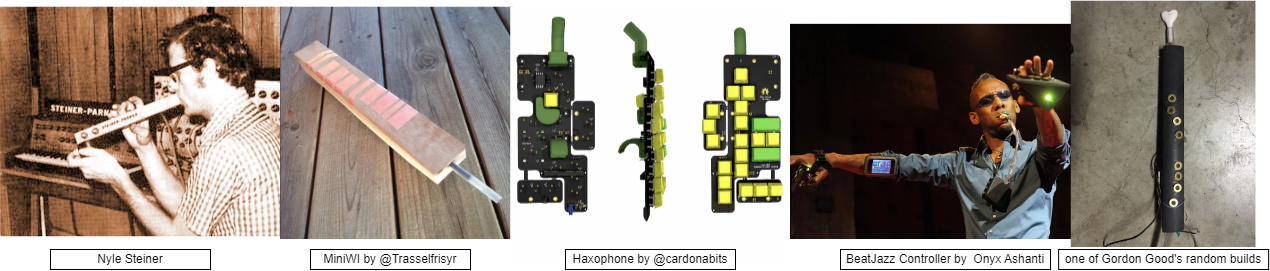
<p>Had to give a search for some classic, non-product, EWI constructions.</p>

<ul>
  <li>The guy who invented the EWI <a href="https://www.patchmanmusic.com/NyleSteinerHomepage.html">Nyle Steiner</a> has his own page of novel instruments.</li>
  <li><a href="https://hackaday.io/project/11843-miniwi-woodwind-midi-controller">MiniWI by @Trasselfrisyr</a> is a classic minimum viable product, simple construction with conductive copper pads.</li>
  <li><a href="https://github.com/cardonabits/haxo-hw">Haxophone by @cardonabits</a> is a good modern design with mechanical keyboard switches. Also uses fluidsynth.</li>
  <li><a href="https://makezine.com/blog/beatjazz-controller/">BeatJazz Controller by  Onyx Ashanti</a> has a radically different form factor. He uses PureData for non-ADSR synthesis and processing of the raw input data.</li>
  <li><a href="http://gordophone.blogspot.com/2013/01/a-series-basics-of-diy-wind-controllers.html">Gordon Good</a> has been in the game for years, and also fun fact does projects at CCRMA at Stanford. Has a bunch of blog posts about non-ADSR synthesizers.</li>
  <li>There were also several builds at Opensauce 2025 that were generally similar to these builds.</li>
</ul>

<p><img src="/blog/img/2025-09-05-ewi/diagrams-images.drawio.png" alt="picture of all four of these builds." /></p>

<h3 id="our-build">Our Build</h3>

<p>First we have to talk about who the team was. I gathered a few friends; Harry, Ian, and Brooke. The first consideration we wanted to make was who the device was for. Each of us wanted to play one, and knew maybe 1 or 2 other people who might find them interesting if they worked.</p>

<p>This led to a batch size of maybe 3-6 devices, which is a weird number. Its low enough that custom PCBs are still annoying and expensive, and any annoying processes in the construction steps would have to be somewhat repeatable. We also had no delusions that we would be making any money off this, so using like a $200/ea bite force sensor would probably not be a worthwhile inclusion. Goal was cheap, repeatable, and functional enough.</p>

<p><img src="/blog/img/2025-09-05-ewi/diagrams-Device%20Layout.drawio.png" alt="image of the FBD" /></p>

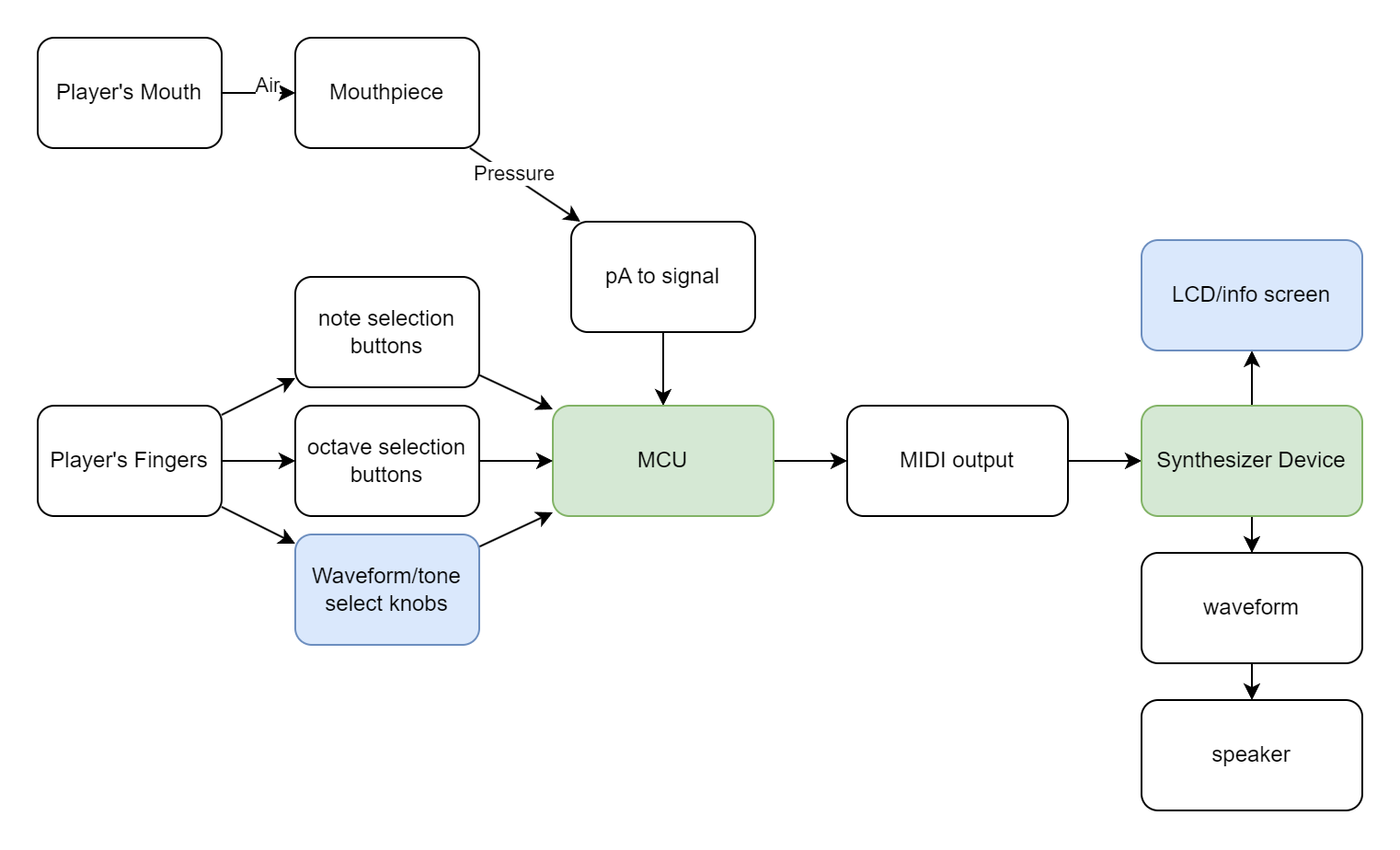
<p>The gang went back and forth but we ultimately decided to separate the input management from the synthesizer part - use an arduino with its many input channels on one side of the versatile MIDI interface, and then connect it to anything downstream, a full computer or some embedded synthesizer. This also gave us a few off ramps to consider.</p>

<p>We also decided that using capacitive pads would be simpler to wire and easier/faster to play, so we decided to look into soldering to pads or tape or something. This would result in a less tactile device, which could be a downside, but that was deemed an acceptable tradeoff.</p>

<h2 id="side-note-off-ramps">Side note: Off Ramps</h2>

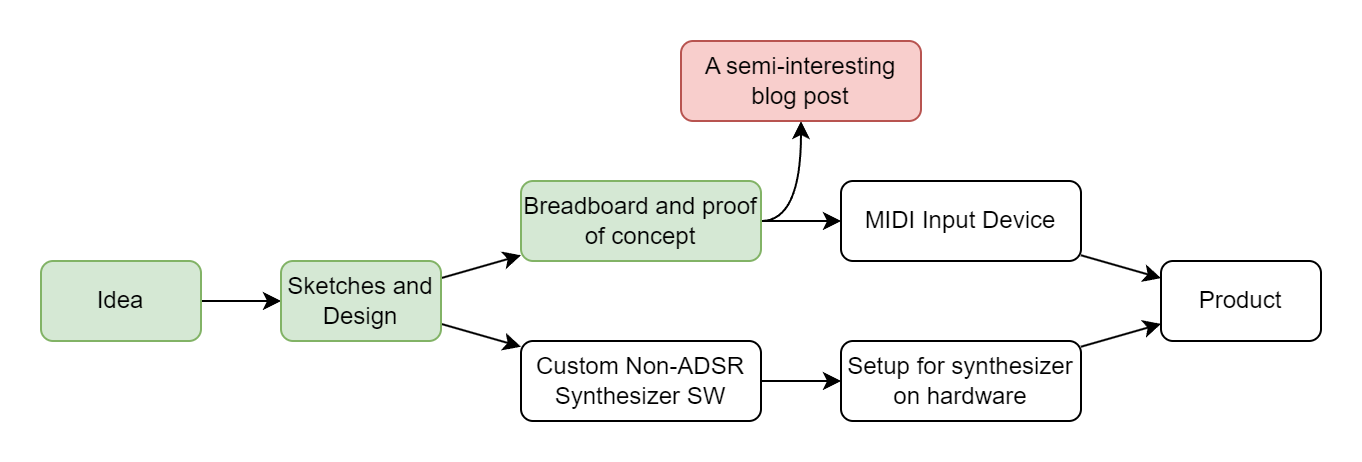
<p>Sometimes you realize you are done working on a project. Not that the project is complete, but that the remaining work is not novel or compelling. This is where the “off ramp” comes into play - a point where the project is presentable and demonstrates something interesting, even if the full vision is not complete. As my projects grow in scale, I find it more useful to build these points in from the very design and planning phase. I also want to note that this doesn’t make me any less motivated to go through and finish a project - it maybe makes it even easier to approach large goals, because I know failure will still leave me with something.</p>

<p><img src="/blog/img/2025-09-05-ewi/diagrams-offramps.drawio.png" alt="diagram about offramps" /></p>

<p>I want to credit this idea and phrasing to Brooke, who really demonstrated it with her quilted jacket project. Link will be added here if she ever posts about it.</p>

<h2 id="build---part-2">Build - Part 2</h2>

<h3 id="parts-list">Parts List</h3>

<p>This is for the MIDI instrument part. The synth part would be connected over USB to this component.</p>

<table>
  <thead>
    <tr>
      <th>Part</th>
      <th>Count</th>
      <th>Price/per</th>
    </tr>
  </thead>
  <tbody>
    <tr>
      <td>Arduino Pro Micro</td>
      <td>1</td>
      <td>~$5</td>
    </tr>
    <tr>
      <td>3.3-5V logic level shifter</td>
      <td>1</td>
      <td>~$1</td>
    </tr>
    <tr>
      <td>MPR121 Capacitive touch breakout board</td>
      <td>2</td>
      <td>~$3</td>
    </tr>
    <tr>
      <td>TM7711 ADC + Pressure Sensor</td>
      <td>2</td>
      <td>~$2</td>
    </tr>
  </tbody>
</table>

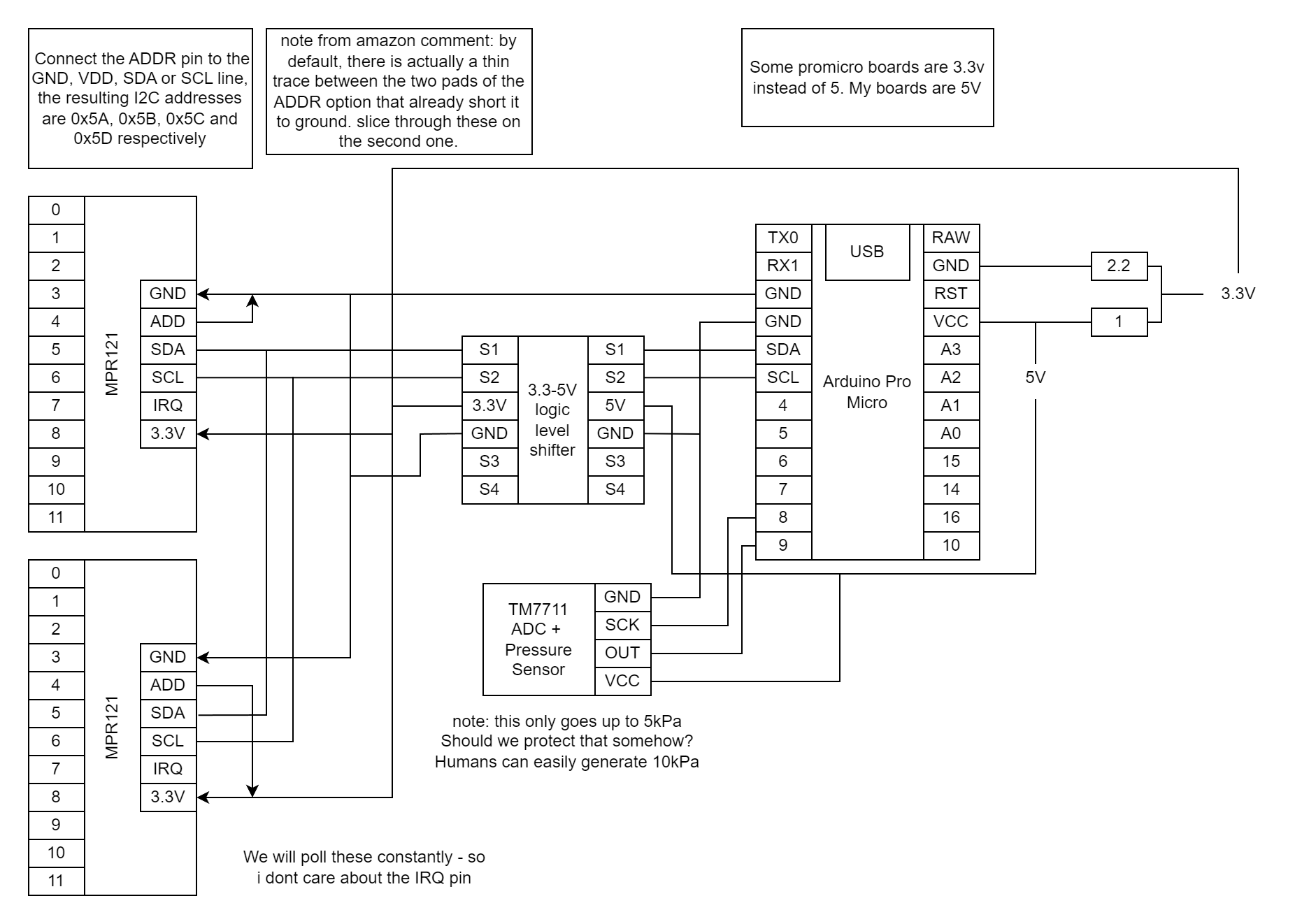
<p><img src="/blog/img/2025-09-05-ewi/diagrams-Circuit.drawio.png" alt="picture of circuit diagram" /></p>

<p>I got all the parts a few weeks later, and started breadboarding them together. Simple circuits with the example code to get things working. Around here I think I accidentally broke one of the breath sensors, either by blowing too hard or maybe soldering it too hot. Not sure, I just kind of expect those things to have a failure rate. There is a flexible diaphram in there somewhere, and I think its possible for a human to overpower it.</p>

<h3 id="software-design">Software Design</h3>

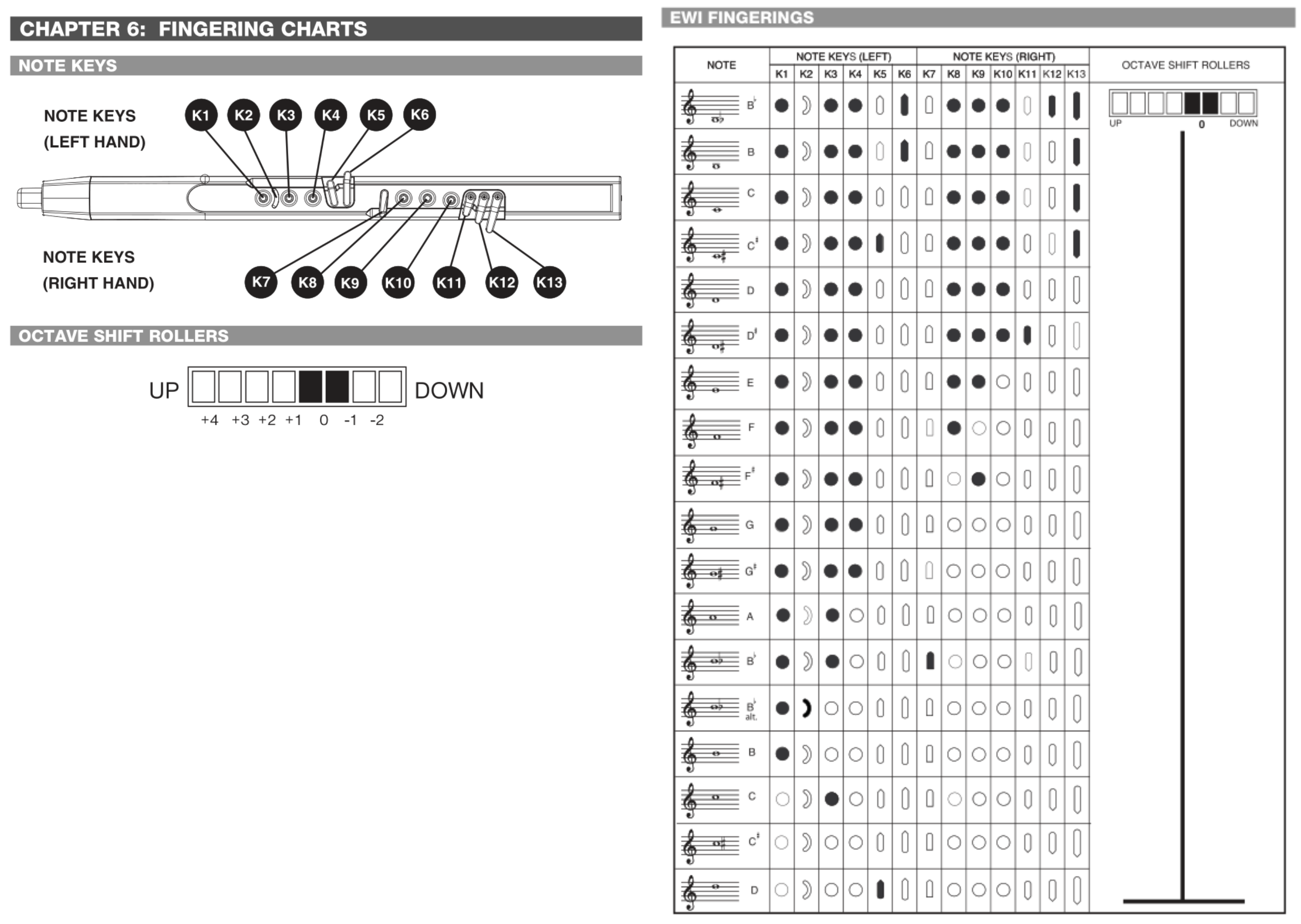
<p>As I said, I don’t know how to play any woodwind instruments. I decided that the engineers at Akai probably know a thing or two about how to map keys to notes - and great engineers steal.</p>

<p><img src="/blog/img/2025-09-05-ewi/diagrams-fingerings.drawio.png" alt="akai manual png" /></p>

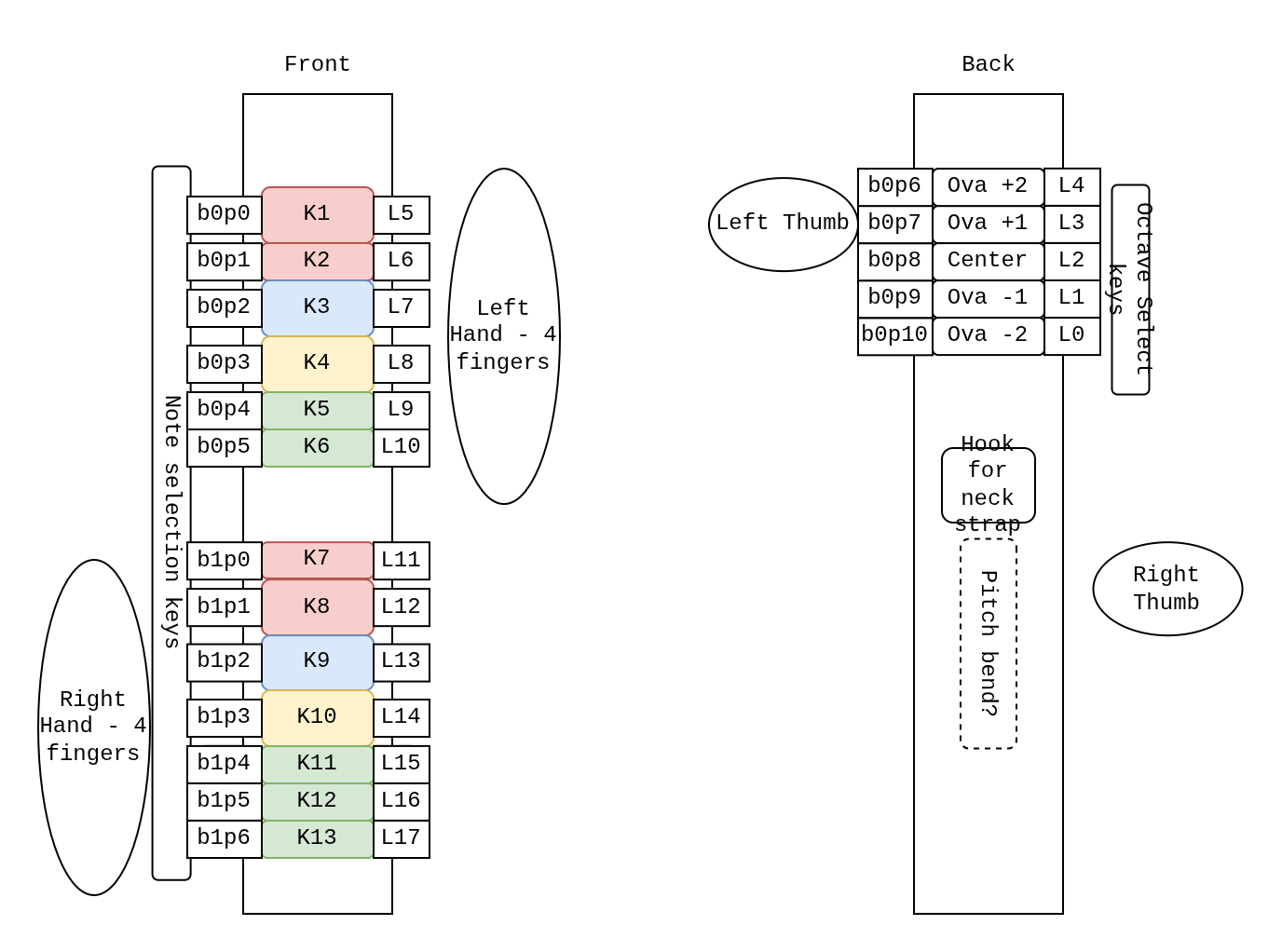
<p>I then just made sure I had enough IO channels to match the button setup.</p>

<p><img src="/blog/img/2025-09-05-ewi/diagrams-Physical.drawio.png" alt="drawio button mapping layout" /></p>

<p>This diagram outlines multiple useful values for me to keep track of.</p>

<ul>
  <li>Most prominent is a number prefaced with a <code class="language-plaintext highlighter-rouge">K</code>. This maps them to keys in Akai’s manual.</li>
  <li>the number in the pattern <code class="language-plaintext highlighter-rouge">bxpx</code> is the IO board index and channel index. There are two boards with 12 channels each.</li>
  <li>the number prefaced with an <code class="language-plaintext highlighter-rouge">L</code> indicates where in the flat array of booleans I place that value.</li>
</ul>

<p>I wanted to use this project to practice some boolean operators. This was mostly just for love of the game. Here is an array I used to mask input values and translate them into the right spot in the array. During testing I noticed that the first two pins on one of my capacitive boards weren’t working, so I just rewired it on the spot and kept the naming the same (if you are trying this project out yourself, I hope you notice and change this if your boards work properly).</p>

<div class="language-plaintext highlighter-rouge"><div class="highlight"><pre class="highlight"><code>// define input to keys
// this should match the wiring you make.
uint32_t io_keys_map[NUM_IO] = {
    // board 0
    0b000000000000000000,
    0b000000000000000000, //p0 // the first two pins are broken?
    0b000000000000100000, //p1
    0b000000000001000000, //p2
    0b000000000010000000, //p3
    0b000000000100000000, //p4
    0b000000001000000000, //p5
    0b000000010000000000, //p6
    0b000000000000010000, //p7
    0b000000000000001000, //p8
    0b000000000000000100, //p9
    0b000000000000000010, //p10
    0b000000000000000001, //p11 
    0b000000000000000000, //x12 unused
    0b000000000000000000, //x13
    0b000000000000000000, //x14
    // board 1
    0b000000100000000000, //p0 
    0b000001000000000000, //p1
    0b000010000000000000, //p2
    0b000100000000000000, //p3
    0b001000000000000000, //p4
    0b010000000000000000, //p5
    0b100000000000000000, //p6
    0b000000000000000000, //p7 unused
    0b000000000000000000, //p8
    0b000000000000000000, //p9
    0b000000000000000000, //p10
    0b000000000000000000, //p11
    0b000000000000000000, //x12
    0b000000000000000000, //x13
    0b000000000000000000, //x14
    0b000000000000000000  //x15
  };
</code></pre></div></div>

<p>All you need to do to start with an array of physical “buttons” and create an array of “keys” is to AND and then ADD the bitmasks.</p>

<div class="language-plaintext highlighter-rouge"><div class="highlight"><pre class="highlight"><code>// read from inputs
touched_b0 = b0.touched();
touched_b1 = b1.touched();

// turn into logical values
m_allbuttons_held = touched_b0 + ((uint32_t) touched_b1 &lt;&lt; 16);

m_allkeys_held = 0;

// map the IO to the keys in order
for (int i=0; i&lt;NUM_IO; i++) {
  testbit = (uint32_t) 1 &lt;&lt; i;
  if (m_allbuttons_held &amp; testbit) {
    m_allkeys_held += io_keys_map[i];
  }
}
</code></pre></div></div>

<p>Then I just copied from the manual to make the fingerings.</p>

<div class="language-plaintext highlighter-rouge"><div class="highlight"><pre class="highlight"><code>// define EWI fingerings
// write in binary which buttons are pressed and associate with a note.
const uint8_t NUM_FINGERINGS = 18;
int32_t keys_notes_map[NUM_FINGERINGS][2] = {
    {0b1011010111011, pitchB2b},
    {0b1011010111001, pitchB2},
    {0b1011000111001, pitchC3},
    {0b1011100111001, pitchD3b},
    {0b1011000111000, pitchD3},
    {0b1011000111100, pitchE3b},
    {0b1011000110000, pitchE3},
    {0b1011000100000, pitchF3},
    {0b1011000010000, pitchG3b},
    {0b1011000000000, pitchG3},
    {0b1011100000000, pitchA3b},
    {0b1010000000000, pitchA3},
    {0b1010001000000, pitchB3b},
    {0b1100000000000, pitchB3b},
    {0b1000000000000, pitchB3},
    {0b0010000000000, pitchC4},
    {0b0000000000000, pitchD4b},
    {0b0000100000000, pitchD4}};
</code></pre></div></div>

<p>As you can see, there are invalid fingerings, that could be possibly triggered while transitioning between notes. I just hold the last note, but it would be interesting to get into semitone world. That would be a whole different model though.</p>

<div class="language-plaintext highlighter-rouge"><div class="highlight"><pre class="highlight"><code>int16_t getNote(uint32_t keys_held)
{
  for (uint8_t i = 0; i &lt; NUM_FINGERINGS; i++)
  {
    if (keys_held == (uint32_t) keys_notes_map[i][0])
    {
      return keys_notes_map[i][1];
    }
  }
  return m_last_valid_note;
}
</code></pre></div></div>

<p>From here, I had the breath cause both a <code class="language-plaintext highlighter-rouge">NOTEON</code>/<code class="language-plaintext highlighter-rouge">NOTEOFF</code> effect when it crossed a threshold, as well as mapping to two different CC channels. One for positive pressure and another for negative pressure. The pitches are sent every cycle that <code class="language-plaintext highlighter-rouge">NOTEON</code> is active.</p>

<iframe width="100%" height="315" src="https://www.youtube.com/embed/gdUinYUU7cI" frameborder="0" allowfullscreen=""></iframe>

<h2 id="whats-next">Whats Next</h2>

<p>I have like zero desire to build or design the rest of this thing, so I just finished the breadboard test. I don’t think this project is particularly groundbreaking in the world of electronic breath synthesizers, so only if other members of the team pick up the effort will I continue.</p>]]></content><author><name>Nicky Masso</name></author><category term="blog" /><category term="ewi," /><category term="midi," /><category term="midi" /><category term="controller" /><summary type="html"><![CDATA[]]></summary><media:thumbnail xmlns:media="http://search.yahoo.com/mrss/" url="https://starmaid.github.io/blog/img/2025-09-05-ewi/breadboard.jpg" /><media:content medium="image" url="https://starmaid.github.io/blog/img/2025-09-05-ewi/breadboard.jpg" xmlns:media="http://search.yahoo.com/mrss/" /></entry><entry><title type="html">Hockey Robot</title><link href="https://starmaid.github.io/blog/hockey-robot/" rel="alternate" type="text/html" title="Hockey Robot" /><published>2025-07-20T00:00:00+00:00</published><updated>2025-07-20T00:00:00+00:00</updated><id>https://starmaid.github.io/blog/hockey-robot</id><content type="html" xml:base="https://starmaid.github.io/blog/hockey-robot/"><![CDATA[<iframe width="100%" height="315" src="https://www.youtube.com/embed/Y_yZiCNvSLQ" frameborder="0" allowfullscreen=""></iframe>

<p><em>Entering the world of combat robots.</em></p>

<h2 id="introduction">Introduction</h2>

<p>In fall 2024, I went to Nexus Knockout 1 to watch my friend <a href="https://battlebots.com/robot/overhaul-wcvii/">Scott</a> play bot hockey. It looked cool, but I wasn’t sure if I would get myself involved.</p>

<p><img src="/blog/img/2025-07-20-hockey-robot/nexus1.jpg" alt="" /></p>

<p>I went again, and at the second Nexus Knockout in March 2025 I subbed in to drive Scott’s second robot. We won!</p>

<p><img src="/blog/img/2025-07-20-hockey-robot/nexus2.jpg" alt="" /></p>

<p>For winning, our team got tickets to the finals at Opensauce 2025. I also got laid off around this time, so I suddenly had a lot of free time to bring my own custom bot to the competition.</p>

<h2 id="construction">Construction</h2>

<p>I talked to Scott about his design, because I liked it and thought it was simple but also adaptable. I made a model in FreeCAD.</p>

<p><img src="/blog/img/2025-07-20-hockey-robot/v2.png" alt="" /></p>

<p>To make sure I got sizing and stuff right without spending too much money, I lasered it out of particleboard at work, and printed parts out of PLA.</p>

<p><img src="/blog/img/2025-07-20-hockey-robot/v1.jpg" alt="" /></p>

<p>This gave me a platform to start doing electronics work on the robot.</p>

<p><img src="/blog/img/2025-07-20-hockey-robot/home_1.gif" alt="" /></p>

<p><img src="/blog/img/2025-07-20-hockey-robot/home_2.gif" alt="" /></p>

<p><img src="/blog/img/2025-07-20-hockey-robot/home_3.gif" alt="" /></p>

<p><img src="/blog/img/2025-07-20-hockey-robot/current.jpg" alt="" /></p>

<p>I got the ESCs set up, the receiver bound, and made sure I wasn’t drawing too much current. 20A max using this clamp ammeter was great to see. I was using 80A ESCs and had a battery that could do 170A burst, so I was totally overspecced. The capacity would likely last me multiple matches before fully depleting a battery, which would take the strain off only owning two of these.</p>

<p><img src="/blog/img/2025-07-20-hockey-robot/v5.png" alt="" /></p>

<p>I made a few tweaks to the design that involved shockmounting the motors in TPU, and this time I was ready for a laser. I had an idea for a porcelain-style floral pattern on my robot, and took a small detour to write a script about it. Check out the <a href="https://github.com/starmaid/floral-gen">GitHub page</a> for more on that.</p>

<p><img src="/blog/img/2025-07-20-hockey-robot/v1_build1.jpg" alt="" /></p>

<p><img src="/blog/img/2025-07-20-hockey-robot/v1_build2.jpg" alt="" /></p>

<p>After that, I was ready to take it for a test against real robots. Scott and Kyle were able to meet up for some practice in a nice shaded parking lot.</p>

<iframe width="100%" height="315" src="https://www.youtube.com/embed/C8_bE8iE5hA" frameborder="0" allowfullscreen=""></iframe>

<p><img src="/blog/img/2025-07-20-hockey-robot/practice1.jpg" alt="" /></p>

<p>It was super helpful! I discovered a few major, game-breaking problems.</p>

<ol>
  <li>I couldn’t keep the puck in my forks, it would just bounce over.</li>
</ol>

<p>Solution: build raised walls onto the rails.</p>

<ol>
  <li>Due to my weight distribution, I couldn’t push other robots.</li>
</ol>

<p>Solution: move the battery behind the wheels, move the rails closer to the center.</p>

<ol>
  <li>The way my wheels were mounted caused massive amounts of friction in my gearboxes, and also caused them to slowly disassemble themselves. This heat buildup also started melting my motor isolator sections.</li>
</ol>

<p>Solution: mount the wheels differently. Also, add airflow and heatsinks to the motor enclosure.</p>

<p><img src="/blog/img/2025-07-20-hockey-robot/practice2.jpg" alt="" /></p>

<p>Each of these was solvable, and any one of them would have made game day a nightmare. This resulted in a redesign, which resulted in a more balanced bot.</p>

<p><img src="/blog/img/2025-07-20-hockey-robot/v8.png" alt="" /></p>

<p><img src="/blog/img/2025-07-20-hockey-robot/v2_build.jpg" alt="" /></p>

<p>So shiny! I had time for one practice the night before Opensauce with my team for this competition - Hock Stuff! Orion and Nick were able to get their bots driving and we had a quick practice, and I made a last minute discovery that I needed a wheelie bar - a quick print the night before the competition. Unfortunately, our practice was also late at night, and I didn’t get any good photos of the robots.</p>

<p><img src="/blog/img/2025-07-20-hockey-robot/bunny_draw.png" alt="" /></p>

<p><em>Bunny, who helped run and organize the tournament, also drew a cartoon of my bot!</em></p>

<h2 id="competition">Competition</h2>

<p><img src="/blog/img/2025-07-20-hockey-robot/maidbot.gif" alt="" /></p>

<p><em>Maidbot shows her stuff on the rink during practice. Its okay! Shes just delicate.</em></p>

<p>Friday was loadin and systems check. We all got to make sure things were working and do last minute assembly and testing. I was mostly relaxed once I got everything set up, as we had no battles.</p>

<p><img src="/blog/img/2025-07-20-hockey-robot/drivers_meeting.jpg" alt="" /></p>

<p><em>It was fun to get the whole bot hockey gang together!</em></p>

<p><img src="/blog/img/2025-07-20-hockey-robot/ready.gif" alt="" /></p>

<p><em>POV the first match is about to start</em></p>

<p><img src="/blog/img/2025-07-20-hockey-robot/team_2.jpg" alt="" /></p>

<p><em>So focused…</em></p>

<p>Our team:</p>

<ul>
  <li><strong>Orion Beach</strong>, also engineering lead of <a href="https://www.offbeatrobotics.com/">Offbeat Robotics</a>, and their bigbot Hijinx</li>
  <li><strong>Nick Hom</strong> from bigbot team <a href="https://battlebots.com/robot/ribbot-2021/">Ribbot</a></li>
  <li>Me :) its my first time lol</li>
</ul>

<p><img src="/blog/img/2025-07-20-hockey-robot/team_1.jpg" alt="" /></p>

<p>We had three guest drivers over the course of the competition. This was super fun and Orion and Nick have some cool friends! IT was also helpful because Orion hadn’t let the loctite dry on the wheel nuts and they kept falling off during the compeition, requiring quick bot swaps. This also kept the energy high and got more people involved, so thats super cool.</p>

<ul>
  <li>
    <p><a href="https://www.bamiium.com/">Bam Singhasaneh</a> from Team Valkrie helped us defeat team Magic Smoke in the qualifiers, as well as subbing in periodically through other matches.</p>
  </li>
  <li>
    <p><a href="https://en.m.wikipedia.org/wiki/Lisa_Winter">Lisa Winter</a>, who is normally judging these kinds of matches, helped us beat Royally Pucked in the qualifiers.</p>
  </li>
  <li>
    <p><a href="https://battlebots.fandom.com/wiki/Team_Fast_Electric_Robots">Matt Vasquez</a> from Team Fast helped us defeat Royally Pucked again, in the first round of the elimination bracket.</p>
  </li>
</ul>

<p><img src="/blog/img/2025-07-20-hockey-robot/groups.svg" alt="" /></p>

<p>We did pretty well in the qualifiers. Second-highest seed. At the end of the last match on Saturday, somehow the rear panel of my robot was completely shattered. I only noticed because my wheelie bar was knocked out and I had a bit of a controls issue - the team sticker was the only thing keeping my battery compartment closed. Acrylic is not a good choice for bot combat, and everyone I talked to expressed this - but I made it work somehow. Definitely something I’ll fix before the next compeition.</p>

<p><img src="/blog/img/2025-07-20-hockey-robot/shatter1.jpg" alt="" /></p>

<p><img src="/blog/img/2025-07-20-hockey-robot/shatter2.jpg" alt="" /></p>

<p>Luckily I had a spare! I also spent that night printing a cover that allowed me to stuff some foam between the outside of the robot and that panel. It probably saved my ass a few times (literally!)</p>

<p><img src="/blog/img/2025-07-20-hockey-robot/scene.jpg" alt="" /></p>

<p>That brought us into day two, where we entered the elimination bracket.</p>

<p><img src="/blog/img/2025-07-20-hockey-robot/scene_2.jpg" alt="" /></p>

<p>Honestly the vibes were really cool. Cheering, struggling for victory, but also knowing that these are just toys and everyone is here to have some fun.</p>

<p><img src="/blog/img/2025-07-20-hockey-robot/bracket.svg" alt="" /></p>

<p>We got second place! Team (No) Ice is just…really good. Their drivers are top notch, and their bots are incredibly efficient. We had a lead in both matches, but in the second half they were able to create a massive lead in the last few minutes of the game.</p>

<p><img src="/blog/img/2025-07-20-hockey-robot/afters.jpg" alt="" /></p>

<p><img src="/blog/img/2025-07-20-hockey-robot/temps.jpg" alt="" /></p>

<p>My robot got pretty beat up, but most of it was just on the tape I slapped all over the panels to keep them from shattering! Also, after the finals match, my motors were the hottest I’ve ever seen them, almost 80C. That’s crazy!!!!!!</p>

<p><img src="/blog/img/2025-07-20-hockey-robot/everyone.jpg" alt="" /></p>

<p>Thanks to the tournament runners, Bunny, Alex, and all the other teams. It was a great time and I plan to keep playing this fun game with all of you.</p>

<p><a href="https://bothockeyleague.com/bot-hockey-info/">https://bothockeyleague.com/bot-hockey-info/</a></p>]]></content><author><name>Nicky Masso</name></author><category term="blog" /><category term="combat," /><category term="robot," /><category term="bhl," /><category term="hockey" /><summary type="html"><![CDATA[Entering the world of combat robots. Introduction In fall 2024, I went to Nexus Knockout 1 to watch my friend Scott play bot hockey. It looked cool, but I wasn’t sure if I would get myself involved. I went again, and at the second Nexus Knockout in March 2025 I subbed in to drive Scott’s second robot. We won! For winning, our team got tickets to the finals at Opensauce 2025. I also got laid off around this time, so I suddenly had a lot of free time to bring my own custom bot to the competition. Construction I talked to Scott about his design, because I liked it and thought it was simple but also adaptable. I made a model in FreeCAD. To make sure I got sizing and stuff right without spending too much money, I lasered it out of particleboard at work, and printed parts out of PLA. This gave me a platform to start doing electronics work on the robot. I got the ESCs set up, the receiver bound, and made sure I wasn’t drawing too much current. 20A max using this clamp ammeter was great to see. I was using 80A ESCs and had a battery that could do 170A burst, so I was totally overspecced. The capacity would likely last me multiple matches before fully depleting a battery, which would take the strain off only owning two of these. I made a few tweaks to the design that involved shockmounting the motors in TPU, and this time I was ready for a laser. I had an idea for a porcelain-style floral pattern on my robot, and took a small detour to write a script about it. Check out the GitHub page for more on that. After that, I was ready to take it for a test against real robots. Scott and Kyle were able to meet up for some practice in a nice shaded parking lot. It was super helpful! I discovered a few major, game-breaking problems. I couldn’t keep the puck in my forks, it would just bounce over. Solution: build raised walls onto the rails. Due to my weight distribution, I couldn’t push other robots. Solution: move the battery behind the wheels, move the rails closer to the center. The way my wheels were mounted caused massive amounts of friction in my gearboxes, and also caused them to slowly disassemble themselves. This heat buildup also started melting my motor isolator sections. Solution: mount the wheels differently. Also, add airflow and heatsinks to the motor enclosure. Each of these was solvable, and any one of them would have made game day a nightmare. This resulted in a redesign, which resulted in a more balanced bot. So shiny! I had time for one practice the night before Opensauce with my team for this competition - Hock Stuff! Orion and Nick were able to get their bots driving and we had a quick practice, and I made a last minute discovery that I needed a wheelie bar - a quick print the night before the competition. Unfortunately, our practice was also late at night, and I didn’t get any good photos of the robots. Bunny, who helped run and organize the tournament, also drew a cartoon of my bot! Competition Maidbot shows her stuff on the rink during practice. Its okay! Shes just delicate. Friday was loadin and systems check. We all got to make sure things were working and do last minute assembly and testing. I was mostly relaxed once I got everything set up, as we had no battles. It was fun to get the whole bot hockey gang together! POV the first match is about to start So focused… Our team: Orion Beach, also engineering lead of Offbeat Robotics, and their bigbot Hijinx Nick Hom from bigbot team Ribbot Me :) its my first time lol We had three guest drivers over the course of the competition. This was super fun and Orion and Nick have some cool friends! IT was also helpful because Orion hadn’t let the loctite dry on the wheel nuts and they kept falling off during the compeition, requiring quick bot swaps. This also kept the energy high and got more people involved, so thats super cool. Bam Singhasaneh from Team Valkrie helped us defeat team Magic Smoke in the qualifiers, as well as subbing in periodically through other matches. Lisa Winter, who is normally judging these kinds of matches, helped us beat Royally Pucked in the qualifiers. Matt Vasquez from Team Fast helped us defeat Royally Pucked again, in the first round of the elimination bracket. We did pretty well in the qualifiers. Second-highest seed. At the end of the last match on Saturday, somehow the rear panel of my robot was completely shattered. I only noticed because my wheelie bar was knocked out and I had a bit of a controls issue - the team sticker was the only thing keeping my battery compartment closed. Acrylic is not a good choice for bot combat, and everyone I talked to expressed this - but I made it work somehow. Definitely something I’ll fix before the next compeition. Luckily I had a spare! I also spent that night printing a cover that allowed me to stuff some foam between the outside of the robot and that panel. It probably saved my ass a few times (literally!) That brought us into day two, where we entered the elimination bracket. Honestly the vibes were really cool. Cheering, struggling for victory, but also knowing that these are just toys and everyone is here to have some fun. We got second place! Team (No) Ice is just…really good. Their drivers are top notch, and their bots are incredibly efficient. We had a lead in both matches, but in the second half they were able to create a massive lead in the last few minutes of the game. My robot got pretty beat up, but most of it was just on the tape I slapped all over the panels to keep them from shattering! Also, after the finals match, my motors were the hottest I’ve ever seen them, almost 80C. That’s crazy!!!!!! Thanks to the tournament runners, Bunny, Alex, and all the other teams. It was a great time and I plan to keep playing this fun game with all of you. https://bothockeyleague.com/bot-hockey-info/]]></summary><media:thumbnail xmlns:media="http://search.yahoo.com/mrss/" url="https://starmaid.github.io/blog/img/2025-07-20-hockey-robot/goal.gif" /><media:content medium="image" url="https://starmaid.github.io/blog/img/2025-07-20-hockey-robot/goal.gif" xmlns:media="http://search.yahoo.com/mrss/" /></entry></feed>